
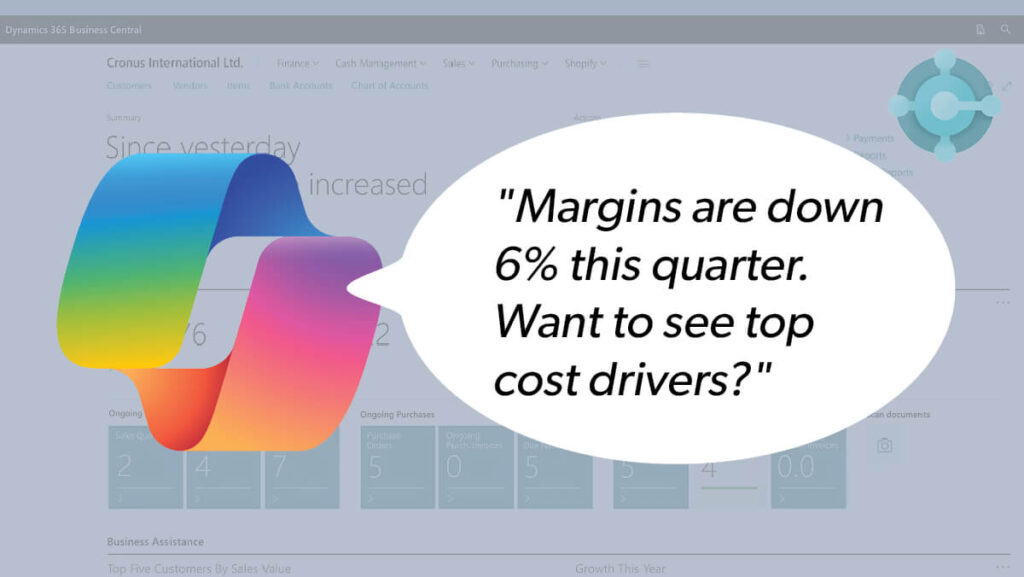
Big things are happening in the world of Dynamics 365 Business Central—and it’s not just another version update. Microsoft is putting AI at the core of how Business Central operates, from intelligent agents that handle your routine workflows to predictive insights that anticipate business needs before you even ask.
The targeted innovation is designed to help finance teams, operations managers, and decision-makers work smarter, not harder. At JourneyTeam, we’ve been right in the middle of this transformation. We’re already helping clients implement these capabilities to streamline processes, eliminate busy work, and unlock new value from their ERP systems.
Read on to learn more about the evolving future of Business Central—one that’s more autonomous and more connected than ever before.
Business Central AI Agents: Taking the Work Out of Workflow
One of the prime innovations is Microsoft’s new breed of AI helpers: Copilot Agents. Microsoft has embedded some of these semi-autonomous helpers directly into Business Central. Unlike simple workflow automations or chatbots, these agents can understand business context, make decisions based on data, and carry out multi-step tasks on your behalf.
The new Sales Order Agent is a good example. It’s designed to work behind the scenes, reading customer emails, extracting relevant details, and kicking off quote and order creation workflows, all without a user needing to touch a single line of data entry. If something’s unclear, it asks for clarification. If everything checks out, it proceeds and informs the user.
Another great example is the Payables Agent, which scans multiple sources (email, OneDrive, and SharePoint) for incoming vendor invoices. It validates the content, flags inconsistencies, and initiates the posting process. It’s more than automation; it intelligently manages how documents flow through the system.
At JourneyTeam, we’re piloting Agent use cases for targeted workflows with our clients, especially those looking to reduce manual overhead. These agents are no longer theoretical. They’re here, and they’re delivering results:
JourneyTeam’s non-profit customer, Centro de la Familia de Utah, was highlighted in the Directions keynote for the amazing work they did with us building an Agent that automates note-taking and recommends next steps for case workers conducting home visits.
Microsoft Copilot in Business Central: Your Sidekick Just Got Smarter
Copilot is also evolving from a handy add-on into an everyday business essential. Inside Business Central, Copilot can help users write product descriptions, summarize complex reports, and spot trends in data they may have missed.
But what’s more impressive is how Copilot understands intent. Instead of asking users to search for specific fields or run predefined reports, Copilot lets you ask natural-language questions (or prompts) like, “Why are my margins down in Q3?” or “Which customers haven’t paid in 60 days?”
JourneyTeam’s Approach to AI Innovation
JourneyTeam is proud to be among the innovators driving AI change. We work closely with Microsoft engineering teams and leverage early access to new AI toolkits, allowing us to help clients experiment, validate, and deploy AI solutions with confidence and speed.
Copilot and AI agents take the burden off your team— cutting down on manual data entry, surfacing real-time insights, and simplifying decision-making. In other words, your system starts working for you, not the other way around.
With AI powering everything from order management to forecasting, you’re not just guessing anymore— you’re acting on data-backed signals. And with a partner like JourneyTeam, you don’t need to go it alone. Our technical team is already building tailored Copilot agent experiences for niche industries—from manufacturing inventory tracking to nonprofit grant reporting.
Real-World Use Cases for AI in Business Central
Forward-thinking businesses are using AI in Business Central to make everyday tasks easier. Here’s just a few ways AI is helping teams work faster and with fewer mistakes.
- Forecasting inventory demand
Business Central uses AI-powered demand forecasting models that analyze historical sales, seasonality, and lead times. The system automatically generates replenishment suggestions and safety stock levels to help planners make data-backed purchasing decisions. - Automating collections follow-ups
AI prioritizes overdue accounts based on risk level, payment history, and invoice aging. Business Central can then trigger reminder emails or collection tasks automatically, helping finance teams stay on top of receivables without manual tracking. - Reducing manual invoice processing
With AI-enabled OCR (optical character recognition), Business Central scans and extracts key data—like vendor name, amount, and due date—from PDF or scanned invoices. It matches the invoice to a PO or receipt and flags discrepancies, streamlining the approval process. - Accelerating grant reporting
AI in Business Central helps nonprofits aggregate and map financial data to specific grant requirements. It auto-generates reports by pulling transaction data, categorizing expenses, and formatting outputs to match funder templates and reduce manual reconciliation.
Business Central’s Growth Trajectory
Microsoft announced during its Directions 2025 conference that Business Central now serves more than 45,000 organizations. The company also shared its acquisition of the businesscentral.com domain — a signal that Business Central is taking center stage in Microsoft’s modern workplace vision.
We’ve seen this growth firsthand. Over the past year, more companies, especially in the professional services, distribution, and nonprofit sectors, have approached us not just for ERP modernization, but specifically to unlock AI-driven insights through Business Central.
How to Get Started with Copilot in Business Central
Getting started with Copilot in Business Central doesn’t have to be complicated. With the right setup and a clear plan, your team can start using AI to save time and improve everyday tasks.
First things first:
- Check license/version compatibility
Not all Business Central environments are Copilot-ready. Make sure you’re running a current cloud-based version, and that your Microsoft 365 and Business Central licenses include or can add Copilot capabilities. JourneyTeam can help ensure you’re getting the most cost-effective licensing strategy. - Enable Copilot in the Business Central environment
We can work with you to turn on Copilot functionality in your Business Central tenant. This typically involves updating system settings, checking permissions, and ensuring your environment is connected to Microsoft’s AI services. - Identify quick-win use cases
Look for areas where Copilot can deliver immediate value—like automating invoice summaries, generating email drafts, or enhancing product descriptions. JourneyTeam can help you identify small wins that will help build user confidence and demonstrate ROI early. - Train users and monitor performance
Equip your teams with hands-on training so they understand how Copilot fits into their daily workflows. Use built-in analytics and feedback tools to monitor adoption, track usage, and fine-tune where needed.
Tip: Explore our Sherpa Program for Business Central. We’ll guide your ERP and Copilot adoption with expert-led onboarding, training, and support. It’s a quick-win, quick-start way to realize immediate value.
Let’s Talk AI and Business Central
Microsoft is resetting how we think about ERP. With AI embedded at the core of Business Central, they’re delivering tools that are faster, smarter, and more human-friendly than ever before. Looking ahead, we anticipate a future where Business Central becomes even more proactive—alerting users to risks, recommending actions, and even self-optimizing based on usage patterns.
Contact Us Today
The future of ERP is intelligent. The future of Business Central is now.
Business Central AI: FAQs Answered
Copilot helps users speed up tasks like drafting emails to vendors, summarizing customer data, generating sales forecasts, and writing product descriptions. It works directly in Business Central to assist with day-to-day decisions and reduce manual work.
Maybe. Some AI features, like built-in forecasting or OCR invoice capture, are included in Business Central. Microsoft Copilot requires a separate Copilot license, and functionality may depend on your Microsoft 365 subscription.
Any business that relies on repeatable processes or large volumes of data can benefit. AI adds value across industries: distributors use it for inventory planning, nonprofits for grant reporting, and service companies for automating invoicing and follow-ups.
Yes. AI can automate data entry, invoice matching, and payment reminders. It doesn’t eliminate the need for finance teams but reduces repetitive work so they can focus on analysis and strategy.
Workflow automation follows predefined rules. AI goes further by learning from data and making predictions or recommendations like forecasting demand or identifying late-payment risks, without needing hardcoded logic.