Microsoft Copilot: Your AI-Powered Partner for a New Way to Work
Imagine a workday where you’re no longer bogged down by repetitive tasks or searching for the right information. Instead, you’re free to focus on the big ideas that drive your business forward. With Microsoft Copilot, that’s not a vision for the future—it can be your reality today.
Copilot isn’t just a tool; it’s an assistant built into your favorite Microsoft applications, and it can transform the way you work. With Copilot integrated into the tools you use every day, you can achieve more, think bigger, and move faster.

What is Microsoft Copilot?
Microsoft Copilot is the AI-powered assistant woven into all Microsoft solutions. It’s not a single product but a core intelligence that aids productivity in applications and platforms like Microsoft 365, Dynamics 365, Power Platform, Security and Azure.
Whether Copilot is automating repetitive tasks, providing actionable insights, or simplifying complex workflows, it works alongside you to help you get the most value from your Microsoft platform and your business data.
The ultimate productivity partner embedded across Microsoft 365 apps like Word, Excel, PowerPoint, Outlook, and Teams, Copilot enhances the Microsoft 365 apps you already use, making your work more creative, efficient, and focused. Here’s what Copilot does:
- Word: Generates drafts, summaries, and edits to make documents more compelling and to accelerate work.
- Excel: Makes data analysis available to everyone using a spreadsheet.
- PowerPoint: Designs engaging presentations with suggested slide content in minutes.
- Outlook: Summarizes email threads and drafts replies for streamlined communications.
- Teams: Generates real-time meeting summaries, action items, and key takeaways to expedite next steps.
Who It’s For: Everyone who uses Microsoft productivity tools in their daily work.
Copilot not only maximizes productivity for Dynamics 365 users, but it also improves user satisfaction, making it a vital asset to delivering new levels of value. Users can interact with data more dynamically and get predictive analytics and tailored recommendations that drive better decision-making.
Copilot can:
- Assist sales teams by prioritizing leads, generating personalized messages, and forecasting revenue trends.
- Help customer service teams by automating case resolution suggestions and drafting knowledge base articles.
- Aid finance teams by analyzing historical data to predict cash flow trends and automate invoice processing or reconciliation tasks.
- Assist supply chain planners by monitoring inventory levels, predicting demand fluctuations, and ensuring smooth operations.
Who it’s for: ERP users in all functional areas who want to be more productive and efficient.
Microsoft Security Copilot is the ideal tool for businesses that need to respond to threats quickly while minimizing risks and reducing the complexity of their security operations. It’s the first AI-powered security assistant designed to detect, respond to, and prevent threats with speed and precision.
- Real-Time Threat Detection: Identifies and mitigates risks faster than ever. Leverage Microsoft Defender, Sentinel, and Entra ID for advanced threat intelligence.
- Automated Playbooks: Simplifies response strategies with pre-built recommendations that streamline incident management and improve efficiency.
- Global Intelligence: Continuously adapts by learning from Microsoft’s extensive threat database, providing you with up-to-the-minute insights and defense strategies to protect against evolving cyber threats.
Who It’s For: Security teams and IT professionals who are focused on proactive protection.
Copilot Studio allows businesses to create tailored Copilot experiences across apps like Dynamics 365 and Power Platform. By personalizing Copilot functionalities to align with business-specific use cases, companies can maximize the value of their technology investments. Copilot Studio also integrates with proprietary data and third-party systems, so businesses can build AI solutions that are uniquely their own.
- Design AI prompts tailored to your sales and customer service workflows.
- Develop specialized automations that mirror unique tasks like contract approvals or custom reporting requirements.
- Connect Copilot to internal databases or third-party applications for insights and suggestions based on your specific business environment.
- Customize Copilot to generate business-critical insights, such as unique KPI dashboards or performance summaries.
Who It’s For: Developers, analysts and power users who can design tailored AI prompts, workflows, and insights that align with operational goals.
JourneyTeam is a great team to work/collaborate with. I have gained a lot of knowledge and tips. They have a lot of experience in all kinds of Microsoft topics, and I felt they were really trying to support and help us.
Gustavos Ramos IT Leader, REMA Tip Top
Watch Now: Microsoft Modern Work
How Does Copilot Work?
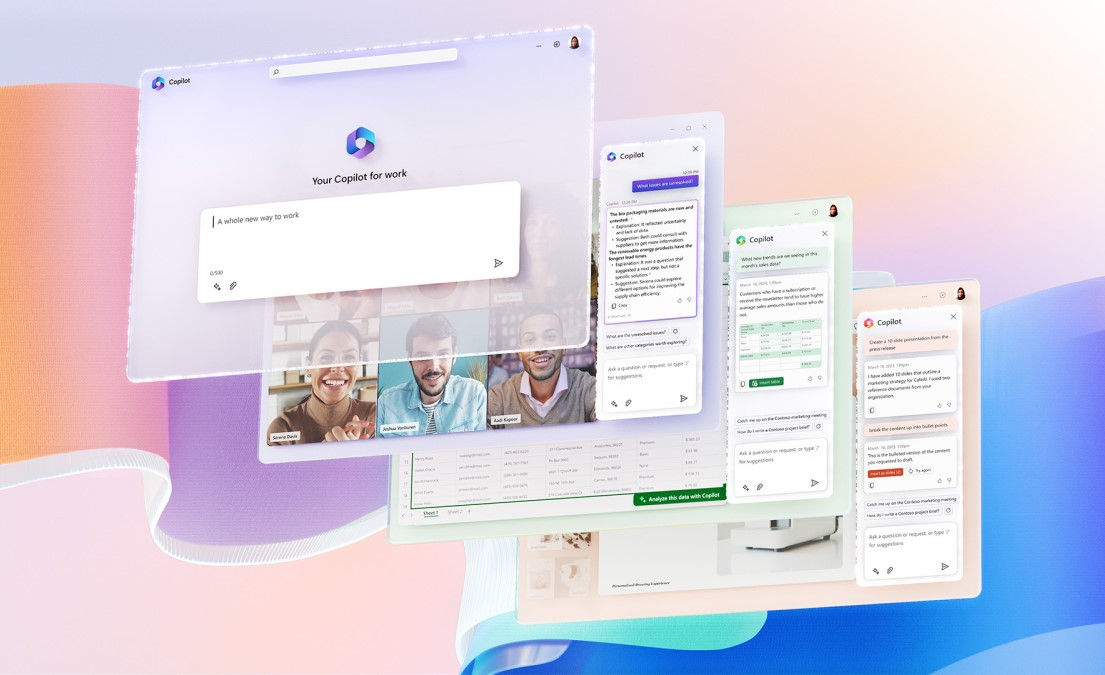
Copilot doesn’t just assist—it accelerates innovation, helping your organization stay ahead in a competitive marketplace while delivering exceptional value. Copilot has built-in tools to achieve outcomes that drive success:
- Microsoft Graph analyzes data across Microsoft apps, providing contextual insights by understanding relationships between data, documents, and people in your organization.
- Natural Language Processing (NLP) interprets and processes user input to enable conversational interactions, so you can give plain-language commands like “Create a summary of this document” or “Analyze trends in this dataset.”
- Generative AI Models power content generation across applications for emails, documents, presentations, or code, based on user prompts.
- Data Integration Tools work with tools like Power BI and Excel for data-driven insights based on simple queries.
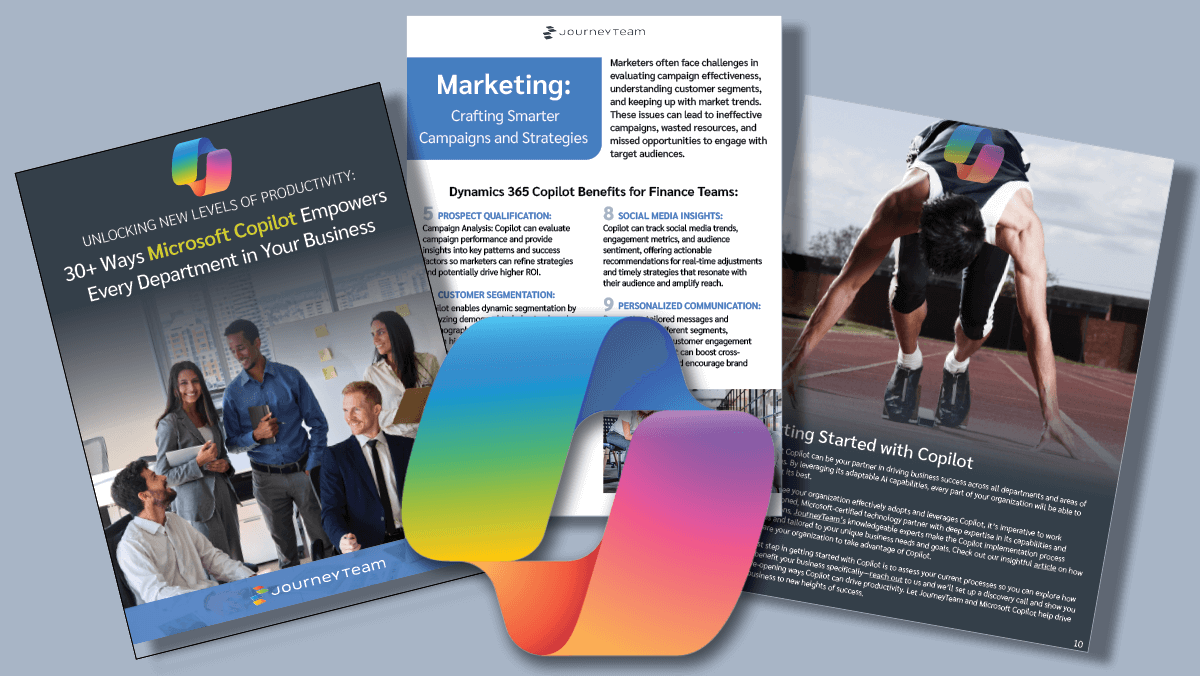
30+ Ways Microsoft Copilot Empowers Every Department in Your Business
Discover how Copilot, combined with the expertise of JourneyTeam, can help you achieve new efficiencies and drive success across all your business operations.
Superpower Functions in All Industries and Work Processes
- Customer self-service
- Lead generation
- Customer engagement
- Negotiations & closing
- Post-sale follow-up & upsell
- Sales analysis & forecasting
- Customer insights & strategy
- Demand generation
- Content creation
- Campaign execution
- Predictive analysis
- Personalization
- Sales enablement & recommendation
- Quote to cash
- Record to report
- Tax & treasury
- Planning & analysis
- Risk management & compliance
- Procure to pay
- Self-help
- Support assignment
- Issue diagnose
- Problems resolution
- Continuous improvement
- Regulatory & compliance management
- Contracting
- Risk management
- Litigation
- Consultation
- Intellectual property
- Advisory services
- Employee engagement
- Recruiting
- HR admin & payroll
- Compensation & benefits
- Learning & development
- Talent management
- HR strategy & planning
- Data management
- Software management & acquisition
- Device refresh
- IT operations
- Network operations
- Information security
- Change management & user adoption
Superpower Functions in All Industries and Work Processes

Sales
- Customer self-service
- Lead generation
- Customer engagement
- Negotiations & closing
- Post-sale follow-up & upsell
- Sales analysis & forecasting

Marketing
- Customer insights & strategy
- Demand generation
- Content creation
- Campaign execution
- Predictive analysis
- Personalization
- Sales enablement & recommendation

Finance
- Quote to cash
- Record to report
- Tax & treasury
- Planning & analysis
- Risk management & compliance
- Procure to pay

Customer Support
- Self-help
- Support assignment
- Issue diagnose
- Problems resolution
- Continuous improvement

Legal
- Regulatory & compliance management
- Contracting
- Risk management
- Litigation
- Consultation
- Intellectual property
- Advisory services

HR
- Employee engagement
- Recruiting
- HR admin & payroll
- Compensation & benefits
- Learning & development
- Talent management
- HR strategy & planning

IT
- Data management
- Software management & acquisition
- Device refresh
- IT operations
- Network operations
- Information security
- Change management & user adoption
Why Choose JourneyTeam for Microsoft Copilot
As a trusted Microsoft partner, JourneyTeam has the expertise to help your organization realize the benefits of Copilot.
Our services include:
1. Copilot Implementation & Consulting
We ensure a smooth transition, aligning Copilot with your business goals and workflows. From setup to post-deployment support, our team ensures measurable success.
2. Customization & Development
Every business is unique, and so is our approach. We tailor Copilot’s capabilities to your specific needs, whether it’s custom app development or workflow enhancements.
3. Copilot Training & Adoption
Technology is only as powerful as the people who use it. We provide hands-on training to help your team fully leverage Copilot’s potential.
4. Ongoing Support
Our commitment doesn’t end after implementation. We offer continuous support to keep your Copilot tools running smoothly and delivering value.


Looking for Copilot Training?
Our Sherpa program for Copilot helps you learn how to adapt a general-purpose tool like Copilot to solve specific, diverse problems within your business in a collaborative, structured framework.
Microsoft + JourneyTeam: Your End-to-end AI Partners

Integrated in the Tools You Use Every Day
Built in the Microsoft ecosystem: Word, Excel, PowerPoint, Outlook and Teams
Understands Your Work Context
Personalized and relevant responses based on your work and business data

Connects Business Sources
Unifies data from your ERP, CRM, HCM, and custom applications for comprehensive results.

Easily Modifiable
Use no and low-code tools to access data, take actions and meet specialized, functional needs.

Secure by Design
Built with Microsoft’s comprehensive and strong M365 foundation to security, governance, and compliance.

Quantifiable Benefits
Accelerate adoption and measure AI impact and business value with JourneyTeam.
Your Microsoft Copilot Partner
We understand the power of personalized AI — from crafting a language model that speaks your business’s language to ensuring your shop floor runs like a well-oiled machine. Our approach is straightforward: we cut through the complexity of Microsoft Copilot to provide clear, accessible, and efficient solutions to elevate you above the competition.


Let’s Explore what Microsoft Copilot can do for your Business
We understand that small businesses need practical, easy-to-implement AI solutions that make a real difference. From streamlining daily tasks to improving customer interactions, we simplify Microsoft Dynamics Copilot to fit your business’s needs. Our approach is clear and efficient: we remove the complexity, offering straightforward solutions that help your business run more smoothly and stay ahead of the competition.
Latest Insights
Microsoft Copilot FAQs
Microsoft Copilot is an AI-powered assistant embedded across Microsoft 365, Dynamics 365, Power Platform, Security, and Azure that uses generative AI to help users automate tasks, analyze data, summarize information, and generate content.
Microsoft Copilot is not a single product but a family of copilots, including Microsoft 365 Copilot, Dynamics 365 Copilot, Copilot Studio, Security Copilot, and Power Platform Copilot, each designed for different business scenarios on the same AI foundation.
Microsoft 365 Copilot enhances individual productivity inside apps like Word, Excel, Outlook, Teams, and PowerPoint. Copilot Studio is used to build custom AI agents that automate workflows and perform organization-specific tasks.
Microsoft Copilot pricing varies by product, with Microsoft 365 Copilot licensed per user, Copilot Studio using pay-as-you-go or capacity-based models, and some Dynamics Copilot features included with existing licenses.
No. Custom agents can be built using Copilot Studio without Microsoft 365 Copilot, although having Microsoft 365 Copilot improves integration across tools like Outlook, Teams, Word, and SharePoint.
Copilot delivers the most value when it is tied to clear business outcomes, embedded into daily workflows, supported by adoption and change management, and governed with proper permissions and security controls.
Yes. Microsoft Copilot inherits Microsoft’s enterprise-grade security, including Microsoft Entra ID authentication, role-based access control, compliance certifications, data loss prevention, and tenant-level data boundaries.
No. Copilot does not use customer data to train public AI models; organizational data remains within the Microsoft tenant.
A Copilot agent is a custom AI assistant built in Copilot Studio that performs specific business tasks such as automating support requests, generating content, summarizing meetings, managing approvals, or orchestrating workflows across systems. See agents at work.
Yes. Copilot can connect to systems like Dynamics 365 Business Central, third-party platforms, Power Platform connectors, and custom APIs.
Implementation timelines vary by scope, with Microsoft 365 Copilot rollouts often completed in weeks, custom agent pilots taking two to four weeks, and broader enterprise AI initiatives following a phased roadmap.
Copilot deployments commonly fail due to lack of executive alignment, insufficient governance cleanup, unclear use cases, weak adoption planning, and limited integration into daily work habits.
Sherpa for Copilot focuses on skills development, agent creation, and internal capability building, while FastStart emphasizes business cases, pilot proof-of-concepts, ROI validation, and executive roadmaps.
Copilot reduces operational costs by automating repetitive workflows, accelerating documentation and proposal generation, improving IT self-service, and increasing overall employee productivity.