Migrate from Microsoft Dynamics GP to Business Central with Confidence
Move beyond a cloud copy of Great Plains. Modernize reporting, streamline processes, and get an AI-ready ERP platform built to grow with your business.

Why Companies Are Leaving Dynamics GP Before End of Support
The Microsoft Dynamics Great Plains (GP) end of life is approaching, but many organizations are already facing rising maintenance costs, reporting limitations, and increasing difficulty finding GP expertise.
Harder to find GP talent
Finding experienced GP administrators and consultants gets harder every year as organizations and partners move to modern cloud ERP platforms.
Rising support & infrastructure costs
Servers, backups, upgrades, and security requirements continue to require investment with no strategic value.
Slow Reporting
Finance teams using GP rely on exports, spreadsheets, and manual reporting processes to answer urgent leadership questions.
Manual workarounds
Day-to-day tasks often depend on extra steps, offline tracking, and process fixes that live outside GP.
Integration support concerns
Third-party integrations are difficult to maintain as vendors reduce long-term support for GP environments.
Waiting Creates More Pressure
Delaying migration can compress timelines, reduce available resources, and increase organizational risk.
Real Results From GP to Business Central Migrations
JourneyTeam helps companies move from legacy ERP systems like Dynamics GP to Business Central for clearer reporting, stronger operational visibility, and less reliance on manual processes.
The Works Cafe
Learn how a time-consuming process that required hours of backend ledger pulls and IT support now runs in minutes.
Allied Global Marketing
Get insights into improved financial visibility, easier reporting, and faster access to the data teams need.
SmartFlower Solar
Find out how better order management reduced processing time and improved visibility across the business.
Dynamics GP vs Dynamics 365
Business Central
The benefits of upgrading from GP to Business Central go beyond replacing aging software. Business Central helps companies modernize reporting, reduce spreadsheet-driven processes, improve access to information, and take advantage of a Microsoft platform that continues to evolve with cloud, AI, and security innovations.
| Dynamics GP | Dynamics 365 Business Central |
|---|---|
| On-premises ERP Requires ongoing infrastructure and maintenance. | Cloud-based ERP Managed and updated through Microsoft. |
| Manual reporting exports Data must be extracted and assembled for analysis. | Modern reporting and dashboards Provides faster access to timely business insights. |
| Spreadsheet-heavy workflows Creates duplicate work and disconnected processes. | Connected workflows Brings finance and operations together in one system. |
| Aging integrations Can be difficult and costly to maintain. | Modern Microsoft connectivity Connects with Microsoft 365, Power Platform, Azure, and more. |
| Ending support model Creates growing operational and technology risk. | Ongoing Microsoft cloud investment Receives continued security, functionality, and platform innovation. |
JourneyTeam’s GP to Business Central
Migration Approach
Our goal is to help you keep what works, simplify what does not, and move into Business Central with a system your team can actually use. For a deeper look at the transition, read our full guide to migrating from Dynamics GP to Business Central

Assess Current GP Environment
Document how your team uses GP today, including core workflows, pain points, system ownership, and support needs.

Review Data, Reports, Integrations, and Customizations
Identify what should move, what should be cleaned up, and which reports, integrations, or customizations need to be rebuilt or retired.

Define the Right Migration Path
Choose the best track based on complexity, budget, timeline, business requirements, and internal team capacity.

Configure Business Central
Set up Business Central around the approved process design, core financial structure, roles, workflows, and reporting needs.

Test, Train, and Prepare for
Go-Live
Validate the system, train users, confirm migrated data, test integrations, and prepare the team for launch.

Support Adoption After Launch
Help users adjust to Business Central, resolve early questions, and refine processes after go-live.
What Can Move From Dynamics GP to Business Central?

Every Dynamics GP migration is different and depends on your current environment and your future-state goals. During planning, JourneyTeam helps identify what should be migrated, what should be archived, and what should be rebuilt in a cleaner way inside Business Central.
Commonly reviewed
or migration
- Chart of accounts
- Vendors and customers
- Items
- Opening balances
- Transaction history
- Financial reports
- Integrations
- Security roles
Often cleaned up
or rebuilt
- Old customizations
- Legacy add-ons
- Outdated reports
- Manual workflows
- Unused data
- Workarounds
Why Work With JourneyTeam?
Moving from GP to Business Central takes a Microsoft Dynamics GP partner and Business Central partner with a clear understanding of how finance and operations teams use their systems every day.
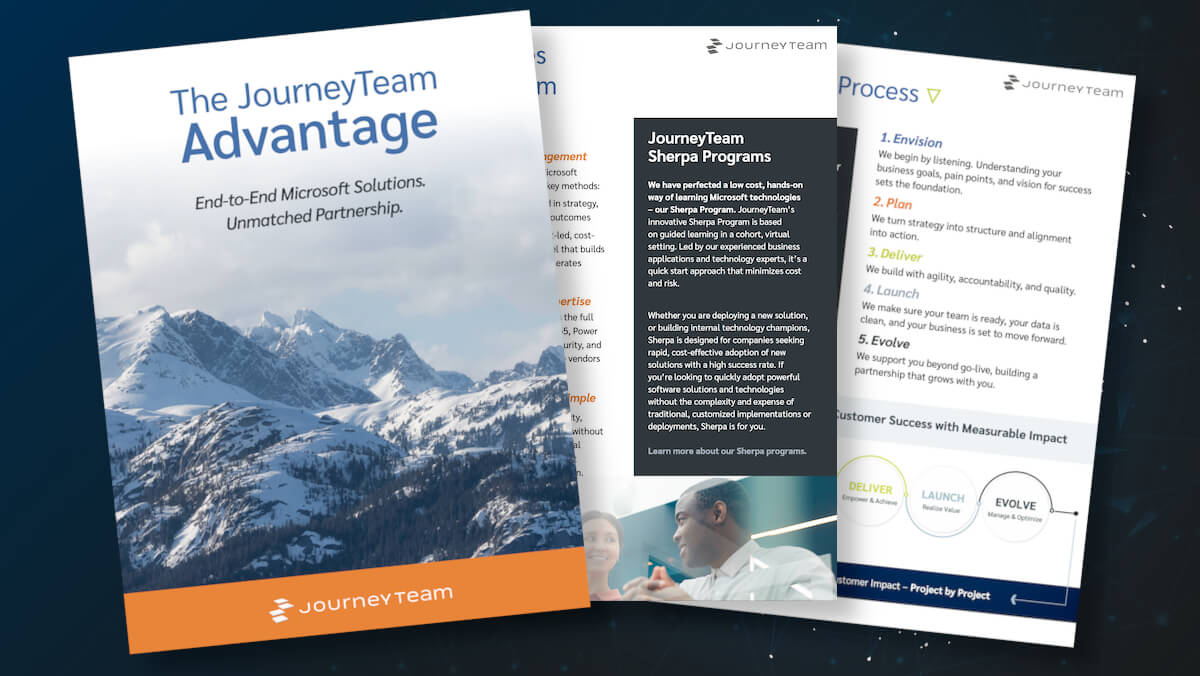
With JourneyTeam you get:
- 30+ years of ERP experience
- Microsoft Business Central Partner of the Year recognition
- Hundreds of ERP projects delivered
- Certified Business Central consultants with deep experience in Dynamics GP
- Structured Dynamics GP migration services for guided, fixed-fee, and tailored implementation paths
Guided GP to Business Central Migration with Sherpa
JourneyTeam’s Sherpa program gives your team a guided path to Business Central without fully outsourcing the project. You work alongside experienced consultants, learn how the system supports daily work, and build the confidence to manage Business Central after launch.
Sherpa for Business Central is a great fit if you want:
- Expert guidance without a fully outsourced project
- More internal team involvement
- Hands-on Business Central learning
- A cost-conscious migration path
- Structured setup, testing, and training

Real Stories. Real Impact.

JourneyTeam’s communication is great… it feels like working with friends. They listen to how we used to do it and show us how we can do it better in Business Central.
Senior Accountant Selena Wilder, The Works Café
Start With a GP Migration
Readiness Review
Even if you’re unsure if now is the right time talk to a Dynamics ERP expert
and explore your options
FAQs About Dynamics GP Migration
Timeline depends on complexity. A smaller core-financials implementation may move faster through a guided JourneyTeam Sherpa approach, while a larger migration with multiple entities, manufacturing, inventory, integrations, or custom reporting will require more discovery, testing, and change management. For broader project-planning context, the best first step is a readiness assessment.
It depends on your current data quality, reporting needs, and compliance requirements. Some companies move a defined amount of historical data. Others keep older GP history available for reference while bringing clean master data and opening balances into Business Central. JourneyTeam helps evaluate the best approach before migration begins.
Not necessarily. Many GP environments have years of customizations, reports, integrations, and workarounds. The key is determining which customizations still create value, which can be replaced with standard Business Central functionality, and which may need to be rebuilt or rethought.
Integrations should be reviewed before migration. Some may be replaced with native Business Central functionality or Microsoft platform connectors. Others may need to be rebuilt, updated, or replaced with modern integration tools. JourneyTeam reviews dependencies early so integration work does not become a late-stage surprise.
Yes. Even when Business Central simplifies processes, users still need training on new workflows, screens, approvals, reporting tools, and month-end activities. JourneyTeam’s approach includes structured training and adoption support, so employees understand how to work in the new system before go-live.
Business Central cost depends on licensing, implementation scope, data migration needs, integrations, training, and ongoing support. Microsoft migration offers or incentives may be available for qualifying customers, but they should be validated during planning because eligibility and program rules can change.
*Migration incentives may be available for qualifying customers, but eligibility, timing, and funding rules can change and should be reviewed before making commitments.