Microsoft Dynamics 365 Contact Center
A Microsoft digital contact center platform for voice and digital service.
Route voice and digital channels into one unified platform. Work from one queue, one system of record, and one set of performance metrics – supported by built-in AI and analytics.

A Microsoft Digital Contact Center Platform for Voice, Chat, SMS, and More
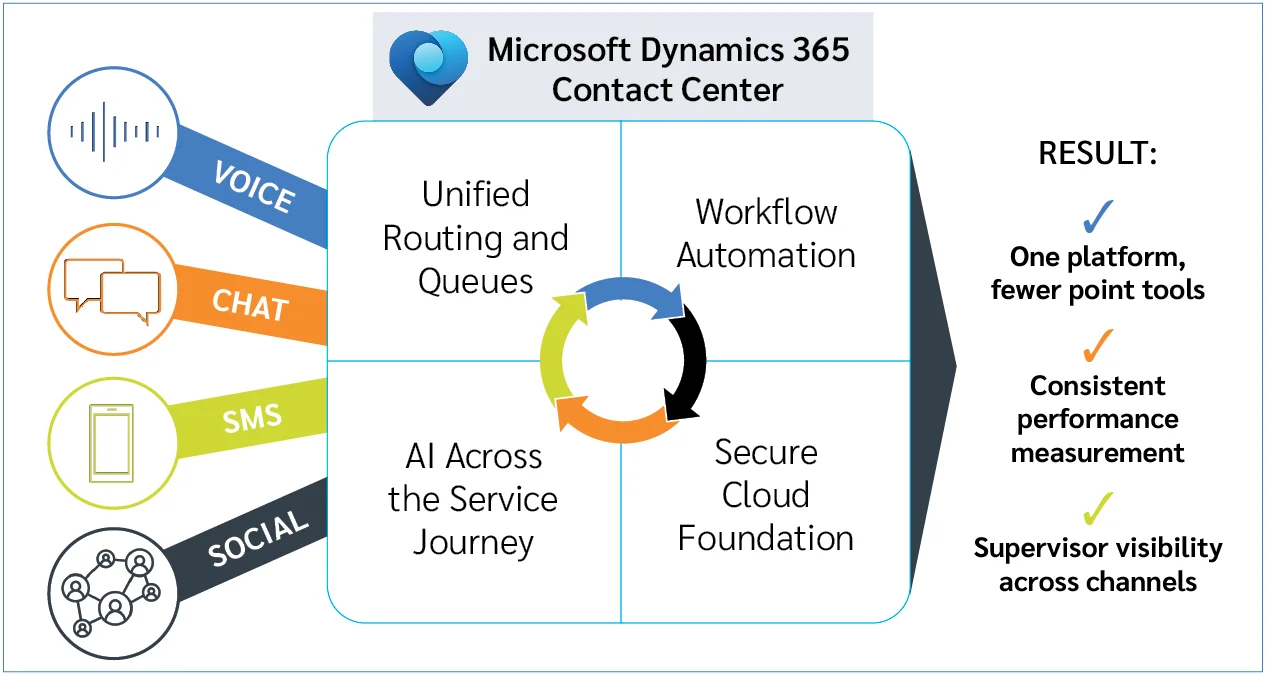
Built on the Microsoft Cloud, the platform delivers enterprise-grade security, scalability, and reliability-while integrating directly with Dynamics 365, Microsoft 365, and existing CRM systems.
Microsoft Dynamics 365 Contact Center is designed as a true omnichannel contact center platform, bringing voice and digital engagement into a single, secure cloud environment. Instead of stitching together telephony systems, chat tools, reporting platforms, and AI add-ons, organizations can manage the entire service experience in one place.
With Microsoft Dynamics 365 Contact Center:
- Manage voice, chat, SMS, and digital channels in one platform
- Apply consistent routing and service logic across all interactions
- Keep customer data, conversations, and case history connected
- Scale operations without introducing additional systems
- Support both Microsoft and non-Microsoft CRM environments
Contact Center for Microsoft Teams: Unify Telephony and Service Operations
Microsoft Dynamics 365 Contact Center works seamlessly with Microsoft Teams and Teams Phone, bringing voice, collaboration, and customer service into one Microsoft-native experience. Agents handle calls in familiar Teams interfaces while service workflows, cases, and routing live inside Dynamics 365. No one has to switch tools or lose context.
For organizations already using Microsoft tools, it’s a natural contact center for Microsoft Teams – where telephony and service operations are no longer separated. Instead of layering a third-party system, you get a fully integrated Microsoft Teams contact center experience inside your existing ecosystem.
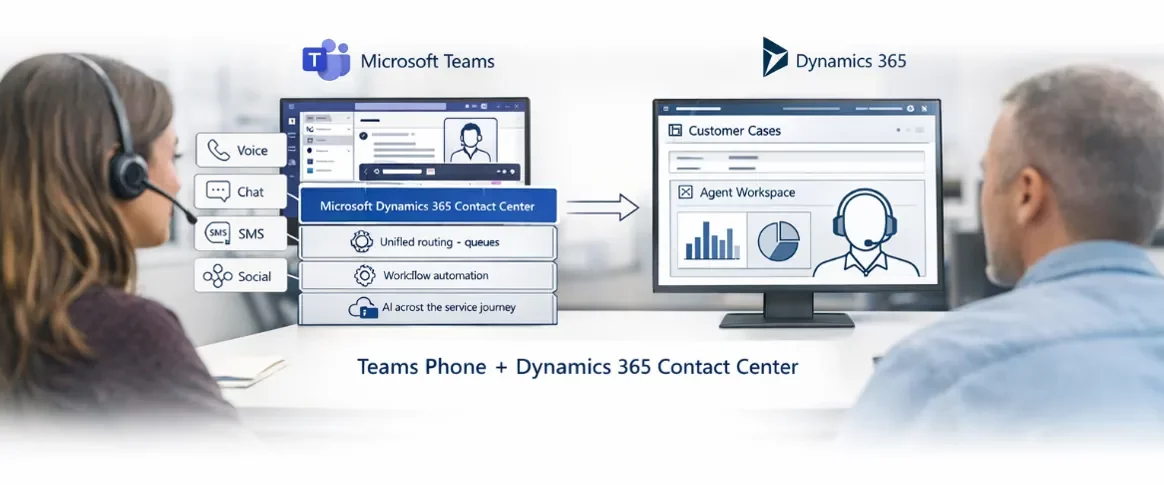
Benefits of a unified contact center solution:
- Teams Phone and Dynamics 365 in one experience
Inbound and outbound calls are powered by Teams Phone and handled directly inside Dynamics 365 Contact Center, keeping telephony and service operations fully connected. - One Microsoft ecosystem for voice and digital service
Agents and supervisors work across Teams and Dynamics 365 instead of juggling disconnected telephony, CRM, and collaboration tools. - Simpler administration and fewer systems to manage
Voice, routing, queues, and reporting are managed through Microsoft technologies rather than layered third-party platforms. - Better agent experience with less context switching
Presence, collaboration, and customer interactions stay aligned, reducing handoffs and making it easier for agents to stay focused on service—not tools. - Cleaner separation between collaboration and service operations
Teams handles collaboration and calling, while Dynamics 365 Contact Center manages customer interactions, queues, and performance visibility—without duplication or silos.
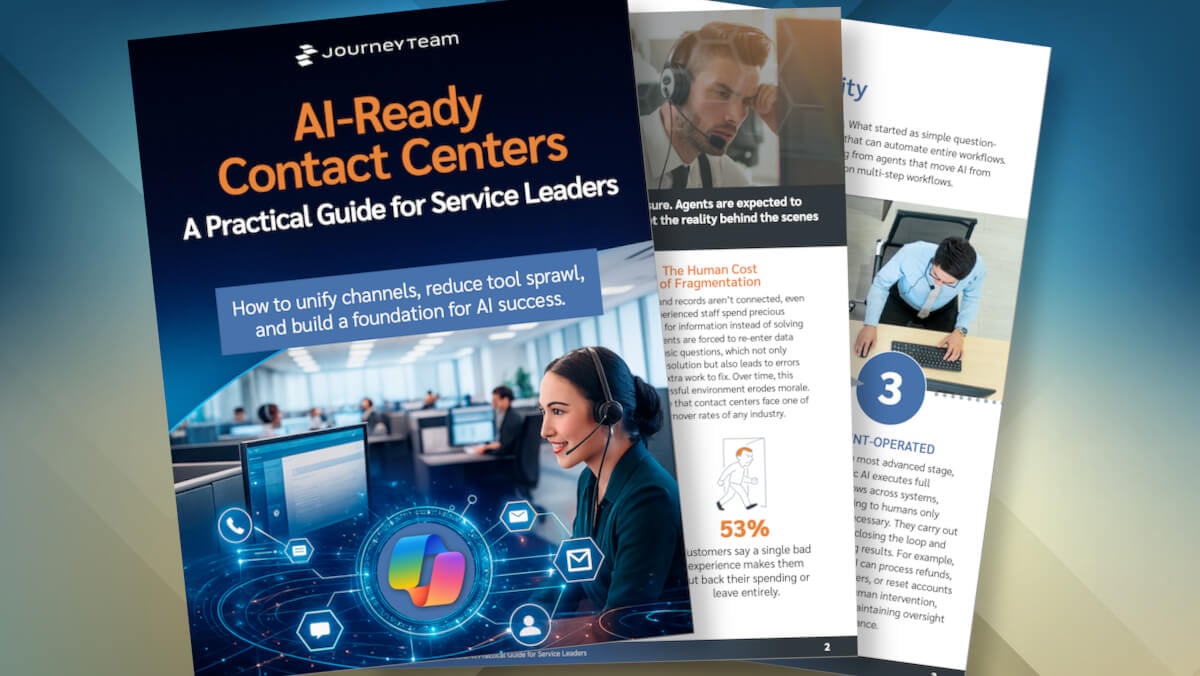
Lead the Change: Build a Future-Proof Customer Contact Center with AI
Discover how you can transform your customer service experience by embracing unified platforms, intelligent workflows, and agentic AI.
Contact Center Reporting, KPIs, and Supervisor Visibility in Dynamics 365
With Microsoft Dynamics 365 Contact Center, reporting and performance visibility are built directly into the platform. Supervisors can monitor queue health, agent workload, and service levels in real time, without relying on disconnected telephony dashboards or delayed exports. You get a complete view of contact center reporting, analytics, and performance management in one system.
Dynamics 365 Contact Center centralizes performance data across voice and digital channels, so supervisors don’t have to reconcile metrics from separate systems. Queue status, agent availability, and service levels are visible in one view.
Organizations can track and act on core contact center KPIs, including:
- Average Speed of Answer (ASA)
- Average Handle Time (AHT)
- Abandon rate
- Transfers
- Occupancy
- SLA attainment
- First‑contact resolution
These metrics stay connected to the underlying interactions, agents, and queues, not isolated in reporting tools.
Supervisors can see how work is flowing across queues and rebalance staffing as conditions change. This makes it easier to respond to spikes in volume, reduce bottlenecks, and maintain consistent service levels throughout the day.
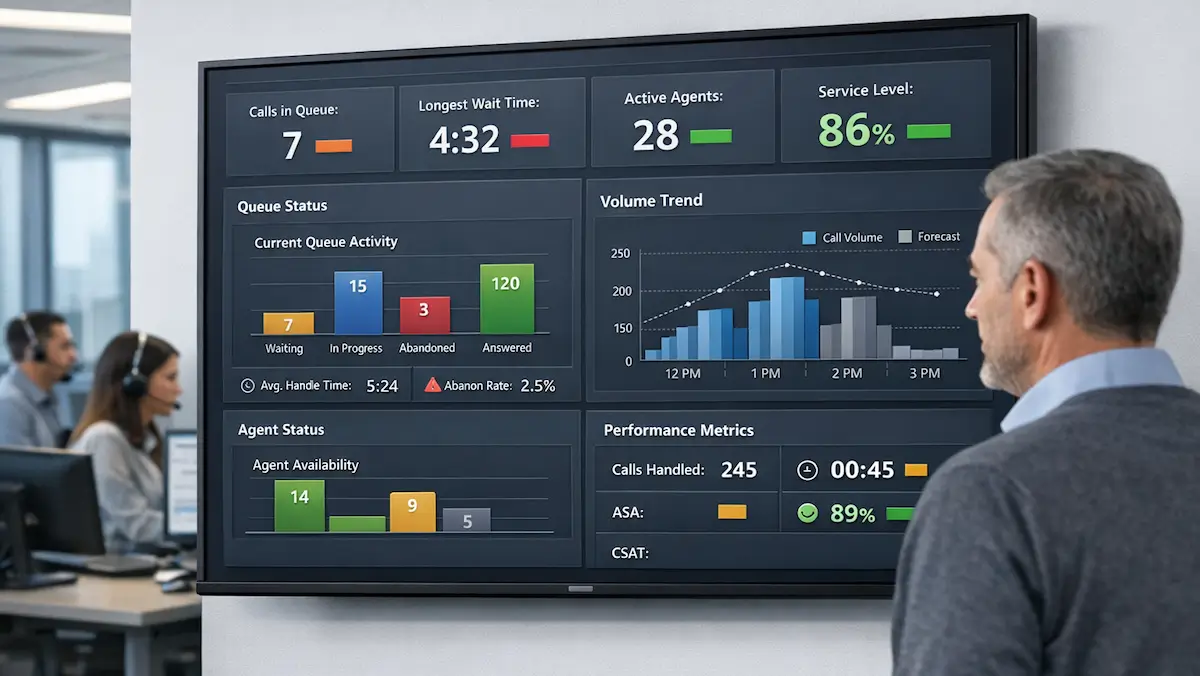
Because Dynamics 365 Contact Center includes native reporting and AI capabilities, teams can move beyond static dashboards. Performance trends, routing effectiveness, and service quality insights help inform staffing, scheduling, and continuous improvement—without adding external analytics platforms.

By keeping routing, conversations, and reporting inside Dynamics 365, organizations avoid fragmented data and delayed visibility. Supervisors and leaders work from the same system of record used by agents every day.

Why JourneyTeam for Microsoft Dynamics 365 Contact Center
JourneyTeam is a Microsoft partner specializing in Microsoft Dynamics 365 Contact Center implementation, helping organizations design, deploy, and optimize contact center operations that perform in real conditions.
An Operating Model Based on Proven Processes.
We start with how work actually flows across voice and digital channels, then align people, process, and the platform to measurable service outcomes (faster resolution, fewer transfers, improved CSAT, and better queue health). Our proven process turns Contact Center requirements into an operating model that performs in production.
One Microsoft System.
No Hand-offs.
We bring depth across the Microsoft stack, so your contact center isn’t stitched together across vendors. That means fewer handoffs, consistent routing, and reporting – a single system in a single pane of glass where telephony, customer data, and service workflows stay connected.
We Don’t Assume It Works.
We Prove It.
We deliver with clarity, speed, and transparency. We don’t configure everything at once and hope it works. We validate telephony behavior, routing logic, and queue performance under real conditions so the solution holds up at launch and can evolve without breaking.

Unify Every Conversation with Microsoft Dynamics 365 Contact Center & Copilot
See how JourneyTeam brings Microsoft Dynamics 365 Contact Center and Copilot into one intelligent, AI-ready platform, and how easy it is to get there.
AI-Powered Service with Copilot in Microsoft Dynamics 365 Contact Center
AI is built directly into Microsoft Dynamics 365 Contact Center through Copilot, helping agents and supervisors work more efficiently throughout the service lifecycle. Instead of adding separate AI tools, organizations can use built-in intelligence to improve both agent performance and customer experience.
Copilot capabilities allow teams to move faster, reduce manual effort, and improve consistency without redesigning their entire service model.
- Automatic conversation summaries to reduce after-call work
- Real-time suggestions and next-best actions for agents
- Sentiment analysis to identify at-risk interactions
- Knowledge recommendations during live conversations
- AI-assisted routing and service optimization
- Self-service automation to reduce contact volume
Real Customers. Real Impact.

LATICRETE Contact Center Go-Live
See how global construction manufacturer and JourneyTeam customer LATICRETE is betting on Microsoft Contact Center and AI to take a history of exemplary customer service to new heights.
Start Your Microsoft Dynamics 365 Contact Center Journey
Talk to a Microsoft Dynamics 365 Contact Center expert to evaluate your current environment, simplify telephony and service operations, and build a roadmap for a modern Microsoft contact center solution.
Contact Center Insights
Contact Center FAQ’s
Microsoft Dynamics 365 Contact Center is a cloud-based contact center platform that unifies voice, digital channels, routing, reporting, and AI into a single system for managing customer service operations.
Dynamics 365 includes CRM capabilities, but Dynamics 365 Contact Center is specifically designed as a contact center platform that can work alongside CRM systems or integrate with existing platforms.
Teams provides the telephony layer, while Dynamics 365 manages routing, queues, and service workflows. Together, they create a fully integrated Microsoft Teams contact center experience.
Yes. Microsoft Dynamics 365 Contact Center can integrate with other CRM systems like Salesforce or ServiceNow, depending on your architecture.
Existing numbers are ported into Microsoft Teams telephony, mapped to queues, and routing logic within Dynamics 365.
The platform includes unified reporting across voice and digital channels, tracking metrics like service levels, handle times, queue performance, and agent productivity.
Copilot provides real-time assistance, conversation summaries, recommendations, and insights that help agents resolve issues faster and more consistently.
Microsoft Dynamics 365 Contact Center is built on the Microsoft Cloud and includes enterprise-grade security, compliance, and identity management.