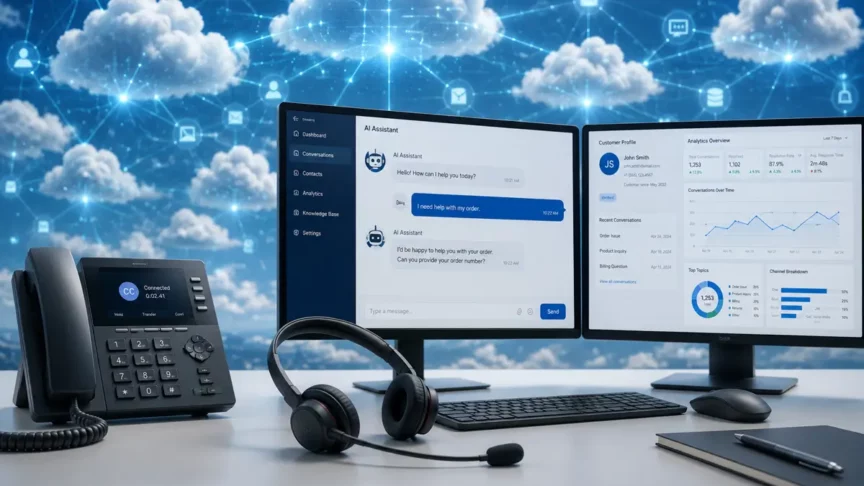
Thinking about modernizing your contact center? You probably have a ton of questions about CRM compatibility, phone number management, telephony, and what daily operations will actually look like.
At JourneyTeam, we’ve pulled together the most common questions our customers ask about modern contact centers and Dynamics 365 Contact Center. This guide is designed to help you get up to speed quickly on the issues that matter most and show you how Microsoft’s Contact Center technology (including AI features like Copilot) is vastly improving the service experience for your teams and your customers.
Can we use Contact Center if we’re not on Dynamics 365 CRM?
Absolutely. Microsoft Dynamics 365 Contact Center works natively with Dynamics 365 CRM, but it can also integrate with platforms like Salesforce or ServiceNow. The process starts with a technical assessment of your current CRM’s data, channels, knowledge base, telephony, and security.
If your CRM supports modern APIs and authentication, integration is usually straightforward. If integration looks too complex, migrating to Dynamics 365 CRM is recommended for a smoother experience.
How does this work for you?
You keep all your existing customer records and workflows, with no need to start over. Agents get new tools in one place, making their day easier. IT teams spend less time on admin and more time on strategy, thanks to simplified security and user management.
How are a Dynamics 365 Contact Center and a contact center that uses an outside CRM different?
| Aspect | Integrated with Dynamics 365 | Standalone Contact Center + Outside CRM |
| Service Rep Experience | Agents work in one screen for calls, chats, cases, and customer details. Notes and history are handled automatically. | Agents must move between Contact Center and their CRM, switching contexts and copying/pasting notes. |
| Routing & Queues | Routing rules and queues are configured, monitored, and adjusted inside Dynamics 365. | Routing logic is split across systems and changes must be made in both. |
| Telephony | Microsoft Teams provides the phone system with direct routing for inbound/outbound calls handled inside CRM. | An external phone system handles calling and must be integrated, adding setup and failure points. |
| Analytics | One data source for service metrics. Dashboards live in CRM/Power BI and drill down to cases and interactions. | Metrics sit in multiple systems, requiring exports and manual connections. |
| Overhead | Centralized roles and security and simpler change control reduce operational overhead. | More vendors, integrations, and duplicate user management increase overhead. |
How does it change daily work?
Integrated systems lead to faster onboarding, easier training, and fewer support issues. If something goes wrong, support can fix it quickly. Your information is all in one place, so you can make decisions with confidence and help customers faster.
What happens to our existing phone numbers if we switch to Microsoft Contact Center?
You keep your existing phone numbers. During onboarding, your Direct Inward Dial (DID) and toll-free numbers are ported into Microsoft Teams telephony. The implementation team coordinates with your carrier, maps numbers to the correct queues or departments, and configures direct routing so calls are handled inside Dynamics 365. Everything is tested to make sure routing rules and failover mechanisms work as expected.
What happens in practice?
Your customers keep calling the same number and won’t notice a thing. You’ll manage all your numbers from one dashboard, so adding new lines or changing teams is quick and painless.
How are our company’s phone numbers managed?
Number management is fully centralized in Dynamics 365. Administrators oversee porting, assignment, retirement, and routing changes through a single console. Because routing is integrated with service data, updates to skills, queues, or schedules are handled efficiently and securely.
How does this help your team?
You’ll make fewer mistakes when updating numbers or queues. If your team changes or you need to adjust quickly, it’s easy. Plus, you’ll have a record of every change for audits or quality checks.
Does Microsoft Contact Center replace our existing phone system?
In most cases, yes. Teams telephony becomes your enterprise phone system, and the Contact Center provides queueing, routing, and agent tools within Dynamics 365. Organizations often phase the transition, running a hybrid model until all numbers are ported and validated, after which legacy systems can be retired.
What will you notice?
You’ll spend less on phone hardware and maintenance. All your calls are tracked in one place, so finding call records or analyzing performance is simple.
What is unified routing in Microsoft Dynamics 365 Contact Center?
Unified routing in Microsoft Dynamics 365 Contact Center automatically directs every customer inquiry, whether it’s a call, chat, email, or social message, to the best available agent or queue. It considers agent skills, availability, priority, and even customer sentiment to ensure each interaction is handled efficiently.
How does this help your team?
You don’t have to manually assign cases or worry about requests getting lost. The system adapts in real time, balancing workloads and matching customers with the right experts.
To see what a real Dynamics 365 Contact Center implementation looks like at go-live, review JourneyTeam’s LATICRETE contact center project go-live.
How does Teams telephony work with Dynamics 365 Contact Center?
Teams acts as the voice backbone, while Dynamics 365 delivers the agent and supervisor experience. Calls are routed according to your defined rules and presented to agents with relevant customer details. Transfers, consults, and notes all happen within the CRM, and supervisors can monitor and adjust routing centrally.
How does this make work easier?
Agents don’t have to juggle different apps. Call quality is clear. Supervisors can quickly change routing and monitor performance on-the-fly for improved responsiveness and service quality.
Can we start with one channel (like voice) and add others later?
Yes. Many organizations begin with voice to stabilize operations, then add channels such as web chat, email, SMS, or social messaging. Because routing, security, and reporting are centralized, adding new channels is straightforward and maintains consistency across all customer interactions.
What’s different for my team?
Your agents handle calls, chats, and emails from one screen. Managers see all the data in one dashboard, making it easier to spot trends and plan ahead.
What analytics and KPIs are included?
Dynamics 365 provides unified, actionable reporting. Dashboards in CRM or Power BI track queue health, service levels, handle times, transfer rates, backlog, and agent productivity. Supervisors can drill down into cases and interactions for deeper analysis, and all data is sourced from one platform for accuracy.
How does this help supervisors?
Supervisors can coach agents with real-time insights, drive continuous improvement, and ensure compliance without manual data reconciliation. Decision-making is faster and more data driven.
How does AI (Copilot) improve service inside Microsoft Contact Center?
AI features like Copilot help agents and supervisors work more efficiently. Copilot can summarize conversations, suggest next steps, and surface relevant knowledge articles, reducing the time agents spend searching for information. Supervisors benefit from AI-driven insights into trends and coaching opportunities.
What’s the Impact?
Agents get suggestions and summaries, so they solve problems faster. Supervisors spot trends and coach more effectively. Everyone works smarter, and customers get better service.
How does Microsoft Dynamics 365 Contact Center ensure data security and compliance?
Microsoft Contact Center is built on the secure Microsoft Cloud, which meets global compliance standards such as GDPR, SOC, HIPAA, and ISO certifications. All data is encrypted in transit and at rest, and access is controlled through Azure Active Directory for identity and role-based permissions.
Can we manage governance policies centrally?
Yes. Administrators can enforce governance policies across all channels and telephony settings using Microsoft Compliance Center and Security & Privacy settings in Dynamics 365. This includes audit logs, retention policies, and data loss prevention (DLP) rules.
What about audit trails and reporting for compliance?
Every interaction—calls, chats, and routing changes—is logged and can be exported for compliance audits. Supervisors and compliance officers can access detailed reports through Power BI dashboards or Dynamics 365’s built-in analytics.
Does AI (Copilot) comply with privacy regulations?
Copilot operates within Microsoft’s responsible AI framework. It does not store conversation data outside your tenant and adheres to Microsoft’s privacy and security standards.
Ready to Transform Your Contact Center?
Here’s How to Get Started with JourneyTeam
If you’re considering Microsoft Dynamics 365 Contact Center or want to see how these features work in real-world scenarios, JourneyTeam can guide you every step of the way. Our experts can help you assess your current environment, plan integrations or migrations, and design a solution that fits your business needs, whether you’re starting with voice or looking to unify multiple channels.
To help you make informed decisions, join our webinar, where JourneyTeam specialists walk through live demos, answer your questions, and share best practices for deploying Dynamics 365 Contact Center. You’ll get practical insights into CRM integration, telephony setup, analytics, and AI-powered service enhancements.
For even more details, check out our latest blog post, “Streamline Customer Service with AI and Telephony,” where we dive deeper into implementation strategies and success stories from organizations like yours.
Get Started Today
Empower your agents, streamline operations, and deliver exceptional customer experiences with JourneyTeam and Microsoft Dynamics 365 Contact Center.