Customers today don’t stick to a single channel when engaging with your company. They start on chat, follow up by email, and escalate to a phone call when they need answers fast. But in most contact centers, those interactions are disconnected, forcing customers to repeat themselves and agents to piece together the story.
What Is an Omnichannel Contact Center?
An omnichannel contact center is a customer service environment where voice, chat, email, SMS, social, and web interactions are connected through shared customer context. Unlike a multichannel contact center, which simply gives customers multiple ways to reach your team, an omnichannel contact center keeps the conversation connected as customers move from one channel to another.
That means the customer’s history, intent, case details, and previous interactions move with them. Agents can see what has already happened, understand what the customer needs, and continue the conversation without starting over. The result is faster resolution, lower customer effort, and a more consistent omnichannel customer service experience.
Omnichannel vs. Multichannel Contact Centers
| Feature | Multichannel Contact Center | Omnichannel Contact Center |
| Channel availability | Multiple channels available | Multiple channels connected |
| Customer context | Often siloed | Shared across channels in a single place |
| Agent experience | Agents search across tools | Agents see one customer timeline |
| Reporting | Split by platform/channel | Unified across interactions |
| Customer experience | Customers may repeat themselves | Customers continue the same conversation |
Most contact centers offer multiple ways for customers to get in touch, but the key difference is whether customer context is shared or siloed.
A multichannel contact center supports different channels, but each one operates separately. A chat transcript may live in one tool, an email thread in another, and the phone interaction somewhere else. When the customer switches channels, the agent has to search across systems or ask the customer to restate the issue.
An omnichannel contact center connects those channels into a single experience. Customer context carries across every interaction, so agents can see the full conversation history and respond without starting from scratch.
That difference can directly impacts how quickly issues are resolved, how much effort customers expend, and how efficiently agents can do their jobs.
Why Disconnected Channels Frustrate Customers and Agents
Disconnected channels break the flow of a conversation. For customers, that means starting over every time they switch channels. A chat turns into a phone call, and suddenly none of the previous context carries over. Information gets repeated, answers change, and resolution takes longer than it should.
For agents, the problem is just as practical. They’re working across multiple systems, searching for history, and trying to reconstruct what already happened. That can lead to duplicate case notes, inconsistent handoffs, longer average handle time, and missed opportunities to resolve the issue on the first contact.
The result is predictable: slower resolutions, higher effort on both sides, and a fragmented customer experience that feels harder than it needs to be.
Key Capabilities of an Omnichannel Contact Center
An omnichannel contact center works because the underlying systems are connected—not because more channels were added. At a functional level, that shows up in a few core capabilities.
Shared Conversation History
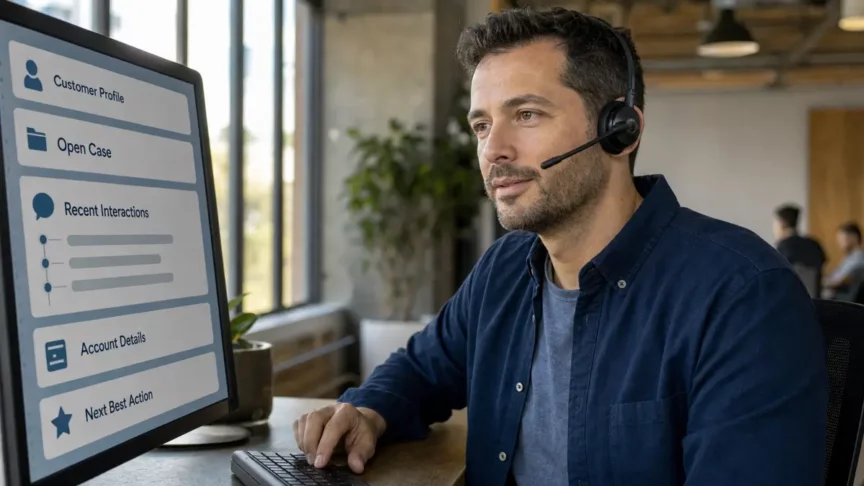
Every interaction is tied together in a single timeline. Agents can see the chat transcript, previous emails, call notes, open case, and recent service activity before responding.
Unified Routing
Work is routed based on more than just queue or channel. For example, a high-priority customer with an open support case can be routed differently than a new inquiry with no existing history.
Cross-Channel Reporting
Performance data is captured in one place, not split across tools. Leaders can track service levels, agent performance, and customer outcomes without reconciling multiple reports, and identify where volume is shifting, which channels create the most escalations, and whether customers are resolving issues without switching channels.
CRM-Connected Agent Workspace
Customer data and interaction history live in the same pane of glass, so agents can view customer records, case history, entitlements, service tasks, and interaction notes without leaving the workspace.
Consistent Service Workflows
Processes are standardized across channels. Whether a customer reaches out by phone or chat, the service experience follows the same structure, helping teams apply the same intake, escalation, follow-up, and documentation process regardless of where the conversation starts.
Check out our FAQs for some guided insight into commonly asked questions about implementing a unified contact center.
Common Mistakes When Moving to Omnichannel
Many organizations try to improve service by adding channels, but stop short of connecting the systems that make those channels useful.
Common mistakes:
- Treating omnichannel as a channel expansion project. New channels get added, but underlying systems, data, and workflows remain disconnected.
- Failing to connect customer data. Without CRM integration, interaction history stays fragmented, and agents still lack full context.
- Legacy routing and workflows. If routing logic and service processes weren’t designed for connected interactions, they break down as volume and complexity increase.
- Underestimating reporting gaps. When data stays split across tools, it’s difficult to measure performance or improve outcomes.
Where AI Improves Omnichannel Customer Service
AI can strengthen omnichannel contact centers. Instead of starting from scratch with every interaction, AI knows the background and can summarize conversations, so agents understand what has happened and what needs to happen next.
AI can also improve routing by identifying customer intent, urgency, sentiment, product area, or case history before assigning the interaction. Instead of routing a message by channel or queue, the system can direct it based on what the customer needs and what has already happened, so it reaches the agent best suited to assist.
How Microsoft Approaches Omnichannel Contact Center Experiences
Microsoft approaches omnichannel as more than connecting communication channels. The focus is on unifying routing, customer data, and workflows so every interaction is part of a single service experience.
In a Microsoft environment, that means service interactions are tied to customer records, cases, routing logic, productivity tools, and reporting instead of being managed as separate communication events. It’s part of a broader operating model where channels, data, and processes work together to support faster, more consistent service.
For a deeper look at how this extends beyond traditional definitions, see:
How Dynamics 365 Contact Center goes beyond traditional omnichannel
How Omnichannel Fits into a Modern Contact Center Strategy
Omnichannel is one part of a broader shift in how contact centers operate. It defines the customer experience model – how interactions move across channels without breaking. But on its own, it doesn’t solve underlying challenges.
It works alongside:
- CCaaS to provide the delivery and infrastructure
- CRM integration to ensure customer data and context are connected
- AI to improve routing, automation, and agent productivity
When these pieces come together, the result is a contact center that can handle higher interaction volume, deliver more consistent service, and adapt as customer behavior changes.
Unify Your Contact Center Channels with JourneyTeam
Most contact centers already have the channels they need. The problem is that those channels are still disconnected. If you’re trying to support multiple channels without increasing complexity, the first step is assessing how connected your environment is across systems, data, routing, reporting, and agent workflows.
At JourneyTeam, we help organizations move from fragmented systems to a unified contact center by aligning channels, CRM data, routing, reporting, and AI into a single operating model. Reach out and we’ll start a conversation!