When a customer calls back about an unresolved issue, the agent should not have to start from zero. If contact center tools and CRM data are disconnected, agents spend more time searching, switching screens, and piecing together customer details than solving the issue. Customers repeat information. Supervisors work from incomplete reporting. AI tools have less reliable data to use.
Contact center CRM integration closes that gap by bringing customer history, interaction details, case information, and preferences into the flow of work. It helps agents respond faster and gives service teams a more consistent way to manage customer conversations across channels.
What Is Contact Center CRM Integration?
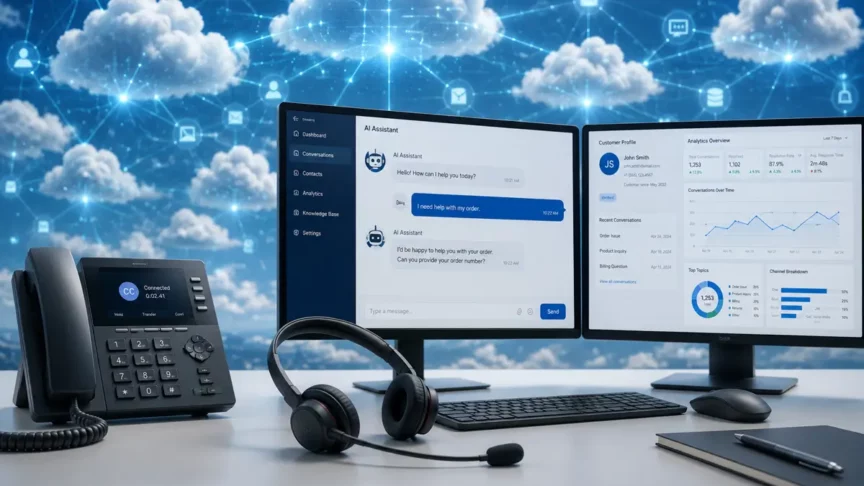
Contact center CRM integration connects the tools agents use to manage conversations with the system that stores customer data. Instead of working from separate screens, agents can see customer history, open cases, past interactions, account details, and relevant notes in one place.
The goal is simple: give agents the information they need while they are helping the customer. The same connection gives supervisors a clearer view of service activity and gives AI tools better source data to work from.
For specific questions about Dynamics 365 Contact Center compatibility, Teams telephony, phone number management, or platform setup, see the JourneyTeam Contact Center FAQ. This article focuses on the broader business value of connecting CRM data to contact center workflows.
Why Disconnected Contact Center and CRM Systems Create Friction
When contact center and CRM systems are disconnected, agents have to build the customer picture manually. They may need to search across multiple tools, ask the customer to repeat details, or rely on incomplete notes from a previous interaction. That slows the conversation and increases the chance of missed information.
Disconnected systems also make the operation harder to manage. Supervisors may not have a clear view of what happened across channels, reporting can be inconsistent, and teams may spend more time cleaning up records after the interaction instead of coaching agents, improving processes, or addressing recurring service issues.
What CRM Integration Changes Inside the Agent Workflow
CRM integration reduces the time agents spend looking for information during a live interaction. When customer data, case history, and interaction details are available in the same workspace, agents can understand the issue faster and respond with fewer handoffs or follow-up questions. That improvement directly supports agent productivity because agents spend less time searching for information and more time resolving the customer’s issue.
It also improves consistency. For example, if a customer contacts your team about an open case, the agent can see the case status, previous resolution steps, and related account details before asking the next question. Customer details can guide how work is prioritized, assigned, and documented, so teams are not relying only on isolated notes or agent memory.
For customers, the benefit is a support experience that feels less fragmented. Agents have a better starting point and are more likely to resolve the issue during the first interaction. Over time, that cleaner workflow can improve the customer experience because service feels faster, more informed, and less repetitive.
What Data Your Agents Need During Interactions
Agents need enough context to understand who the customer is, what they need, and what has already happened. That usually includes contact details, account information, open cases, recent purchases or service history, past conversations, preferences, and any active issues or escalations.
They also need interaction-specific details, such as the reason for contact, channel history, sentiment signals, and previous resolution steps. Once that data is available, it can also shape how work is routed and how agents tailor the conversation.
How CRM Integration Improves Routing & Personalization
Routing becomes more useful when it can use CRM-specific context, not just the channel used or the order a customer entered the queue. For example, a high-priority customer with an active escalation could be routed to a specialized support team instead of entering a general queue. The system can consider account type, open cases, service history, entitlements, language preference, priority level, or past interactions to send the customer to the right agent, team, or workflow.
That same information supports more relevant service. Agents can see what the customer has already done, what issue they are trying to resolve, and what details may matter next, so personalization is based on real customer context instead of generic scripts or disconnected notes.
How CRM Data Improves AI and Automation
AI in the contact center is only as useful as the data it can access in the service workflow. When CRM data is connected to the contact center, AI tools can use customer history, case details, recent interactions, and account context to produce more accurate summaries and suggest relevant next steps.
Automation also becomes more practical. Routine updates, follow-up tasks, case notes, and handoff details can be captured or triggered without requiring agents to enter the same information in multiple systems.
CRM Integration & Reporting
Contact center reporting is more useful when contact center activity and CRM records are viewed together. Instead of only seeing call volume, wait times, or channel activity, supervisors can connect interactions to cases, customer types, issue categories, outcomes, and follow-up work.
That gives leaders and supervisors a clearer view of what drives demand and where service teams may need support. For example, if repeat contacts are tied to one product issue, policy question, or knowledge gap, your team can address the root cause instead of only tracking the volume of interactions. It also helps identify patterns such as repeat issues, unresolved cases, high-effort journeys, coaching needs, or gaps in knowledge content.
Contact Center CRM Integration Checklist
A useful CRM integration should make the right information available at the right point in the interaction. Use these questions to check whether your current setup supports how agents, supervisors, and AI tools actually work. This checklist is focused on CRM and contact center readiness, not a full modernization roadmap.
- Agents can see customer history, open cases, account details, and recent interactions without switching systems.
- Routing can use CRM data such as priority, issue type, customer status, language preference, or open case details.
- Interaction notes, summaries, outcomes, and follow-up tasks are captured back in the CRM.
- Supervisors can report on contact center activity alongside cases, outcomes, customer segments, and recurring issues.
- AI tools can access enough customer and case context to support summaries, recommendations, routing, and automation.
- Data ownership, update rules, and required fields are clear enough to keep information accurate over time.
Microsoft Perspective: Dynamics 365, Dataverse, Teams, Power Platform, and Copilot
In a Microsoft environment, contact center CRM integration works best when customer data, collaboration tools, workflow automation, and AI are connected through a common data foundation. Dynamics 365 can help centralize customer, case, and service activity. Dataverse provides a shared data layer that keeps information consistent across applications. Teams supports collaboration and handoffs, while Power Platform can help automate follow-up tasks, approvals, notifications, and reporting workflows.
That connected foundation also matters for Copilot and other AI-supported service experiences. AI can only summarize, recommend, route, and automate effectively when it has access to accurate customer context. When CRM and contact center data stay connected, service teams can give agents better guidance during interactions and give supervisors a clearer view of what is happening across customers, channels, cases, and outcomes.
Finding the Gaps in Contact Center and CRM Workflows
Most service teams do not need to rebuild everything at once. They need to understand where disconnected data is creating the most friction for agents, customers, and reporting. If your agents still rely on disconnected tools, manual notes, or incomplete customer history, a focused assessment can help clarify what should improve first.
JourneyTeam’s contact center optimization workshop can help your team review the current workflow, pinpoint the gaps that matter most, and prioritize practical next steps for cleaner data, stronger reporting, better agent productivity, and more useful AI support.