Microsoft Dynamics 365 CRM Consulting Services and Integration
Your CRM shouldn’t slow your business down. It should move it forward.
- Build a CRM that holds up in real-world use with structured consulting, process alignment, and data models that hold up in real-world use.
Explore CRM consulting services - Connect customer data across your business with seamless integration to ERP, reporting, and Microsoft tools that eliminate duplicate data and manual work.
See how CRM integration works - Keep your system working over time with ongoing optimization, adoption support, and preparation for AI and Copilot-driven workflows.
Learn about CRM support and optimization

What Is Microsoft Customer Relationship Management Software?
Microsoft Customer Relationship Management (CRM), also referred to as Dynamics 365 Customer Engagement (CE), unifies multiple business process and user experience functionalities – including Microsoft Dynamics 365 Sales, Marketing, Customer Service, Field Service, Contact Center, and Project Operations – in one easy-to-use platform. This robust CRM solution scales to meet the needs of businesses, large or small, fostering tailored customer experiences and delivering critical customer insights.
Track sales, leads, opportunities, tasks, activities for current/prospective customers, and manage sales pipeline with Dynamics 365 Sales. Dynamics 365 Sales features unrivalled tools that revolutionize how your agents engage with customers:
- Integrations: Integrate seamlessly with your business and current technology systems. Dynamics 365 Sales will connect data across your organizations to improve your business problems quickly.
- 360 Degree Customer View: View all customer interactions in one location, and easily manage the entire prospect-to-customer life cycle for a highly successful customer relationship.
- Fully Customizable: Dynamics 365 is extremely easy to modify to fit different business processes and needs. As your technology guide, JourneyTeam can help you identify your sales processes, goals, and outline customizable solutions to meet them.
- Seamless System Extensions: Extend Dynamics 365’s capabilities by connecting and communicating with additional systems and tools. Microsoft AppSource, for example, provides a wide range of applications—all designed to enhance the overall functionality of your system.
Dynamics 365 Customer Insights (formerly Dynamics 365 Marketing) transforms how you connect with your customers by seamlessly delivering personalized customer journeys across multiple touchpoints. By automating and streamlining the marketing process, you can create tailored experiences that foster trust, compels prospects to your brand, and nurtures customer loyalty effectively. Features include:
- Customer Engagement: Trigger-based customer journeys, custom triggers, SMS and push notifications.
- Personalized Customer Journey: Build marketing workflows with email automation and tailored content to identify prospects, and deliver targeted experiences to your customers.
- AI Recommendations: Turn insights into relevant action with AI-driven recommendations for content, channels, and analytics.
Get the right resources to the right place at the right time with Microsoft Dynamics 365 for Field Service. JourneyTeam can help you organize people and equipment with flexible scheduling options to accommodate both customer service representative and dispatcher workflows.
- Schedule resources manually or with automated recommendations.
- Find available field service resources by category to create a smarter workload.
- Match skill sets of technicians against work requirements.
- Take into account truck inventory, regulatory requirements, geography, availability, customer preference, and service level agreements.
Connect sales, resourcing, project management, and finance teams in a single application to win more deals, accelerate project delivery, and maximize profitability. Designed for project-based businesses, Dynamics 365 Project Operations brings people, processes, and automation technology together. Feature highlights include:
- Solution Selling
- Project Planning
- Mobile Productivity
- Time & Expenses
- Service Analytics
Deliver the best customer service experience possible to your customers when you integrate Dynamics 365 Sales and Dynamics 365 Customer Service. The integration allows for automatic synchronization of important data between Sales and Customer Service, including:
- Accounts and contacts
- Products and pricing
- Cases and opportunities
For example, a knowledge database created in Customer Service can be accessed by sales reps in Sales, allowing them to leverage service information when interacting with customers. By integrating the two systems, organizations can create a unified sales and service experience that improves efficiency, customer satisfaction, and business outcomes.
Deliver next-level customer service by transforming your contact center with Microsoft Dynamics 365 Contact Center. Empower your agents with AI-driven tools that enhance efficiency, reduce wait times, and create seamless, personalized experiences across every interaction.
- AI-Enhanced Interactions: Revolutionize your service with real-time insights, sentiment analysis, and conversation summaries. Dynamics 365 Contact Center leverages AI to give agents the tools they need for quicker, more effective resolutions.
- Unified Omni-Channel Experience: Connect every customer channel—from chatbots to voice—ensuring a consistent experience that helps your agents build trust and satisfaction in every conversation.
- Automated Workflow Optimization: Free up your team’s time by automating repetitive tasks. Focus on what truly matters: fostering meaningful customer relationships rather than answering routine inquiries.
- Empowered Self-Service Options: Provide customers with AI-guided self-service options to solve issues independently, reducing contact volumes and improving satisfaction.
Take your customer service to new heights with Microsoft Dynamics 365 Contact Center—designed to meet evolving customer expectations and transform service into a strategic advantage.

What’s Slowing Down Your CRM?
Most CRM issues show up as slow processes, duplicate work, and inconsistent data. Our team will show you exactly where the gaps are, and what to do next. Our CRM Vision & Value workshop provides a clear, actionable strategy for modernizing your CRM and leveraging the full capabilities of Dynamics 365.
Trusted Results Across Industries
Palmer-Donavin
See How one company used CRM lead measures in to identify the most effective sales activities and improve pipeline visibility.
Smarter Furnishings
Learn how a centralized CRM system supercharged processes and accountability across a retail organization.
Mercato Partners
Find out how automated alerts and clear visibility enabled timely, personalized customer outreach.
Microsoft Dynamics CRM Consulting Services
As a Microsoft Dynamics CRM consulting partner with a thriving Dynamics CRM consultancy, JourneyTeam helps you design the right foundation, so your system supports real business processes – not idealized ones that break under pressure.
Our Dynamics 365 CRM consulting services are designed to ensure your system supports day-to-day execution, not just configuration.
- CRM strategy and roadmap definition
- Process mapping and workflow design
- Requirements gathering and solution planning
- User roles, security, and data structure design
- Implementation planning and phased rollout
- System optimization and adoption support
Fragmented to Future-Ready: A CRM Blueprint
We finally have the visibility and control to grow the way we want to. And we have the right platform and the right partner to take us there.
Johnny Collins CEO, Smarter Furnishings
Microsoft Dynamics CRM Partner Services
We design, implement, and refine CRM environments so they hold up under real business conditions – sales pressure, service volume, and evolving customer expectations.
Most CRM projects fail when timelines slip, requirements shift, and what worked in workshops doesn’t hold up at go-live. JourneyTeam focuses on disciplined delivery, so your CRM is ready for real use, not just sign-off.
- Structured delivery with defined phases, milestones, and accountability.
- Clear alignment between business requirements and system configuration.
- Incremental validation to catch issues before they become rework.
- Go-live readiness based on real usage, not assumptions.
Copilot only creates value when it’s used in the flow of daily work. JourneyTeam helps you apply AI where it directly improves execution across the sales cycle.
- Focus on the right opportunities with AI-driven prioritization.
- Generate emails, summaries, and proposals without starting from scratch.
- Surface next-best actions based on real customer context.
- Improve forecast accuracy without manual spreadsheet work.
Disconnected data is one of the fastest ways a CRM loses credibility. We fix that at the source so reporting doesn’t have to be rebuilt outside the system.
- Establish consistent data models across sales, service, and leadership
- Build role-based dashboards your teams will actually use
- Define standard KPIs so everyone is measuring the same way
- Deliver real-time visibility into pipeline, performance, and activity
If CRM workflows slow people down, they’ll bypass them. We design automation that fits how your teams actually operate – so it gets used. Using Microsoft Power Platform and Dynamics 365 automation tools, we help you:
- Automate lead qualification and opportunity progression
- Route service requests intelligently across teams
- Trigger follow-ups, tasks, and alerts without manual effort
- Enable business users to adjust workflows without IT bottlenecks
Most partners step away after implementation. That’s when adoption starts to break down. JourneyTeam builds adoption into the process from the start, so your CRM becomes a system your team relies on, not one they work around.
- Deliver role-based training tied to real job functions
- Establish clear ownership of data, processes, and reporting
- Continuously refine the system as your business evolves
AI & Copilot Agents for Dynamics 365 CRM
Empower your team with AI that automates tasks, surfaces insights, and personalizes engagement, turning everyday work into meaningful customer connections and business growth.
Personalized Customer
Interactions
Automatically tailor messaging, recommendations, and follow‑ups based on real customer behavior, preferences, and history.
Immediate
Productivity Gains
Eliminate manual tasks and streamline workflows with Copilot assistance built directly into Dynamics 365. From drafting emails and summarizing activities to automating data entry and follow‑ups.
Predictive Sales
Forecasting
Analyze pipeline health, identify risk and opportunity across deals, and improve forecast accuracy with predictive models that learn from historical and current CRM data.
Why Work with Dynamics 365 CRM Consultants Instead of Going It Alone?
Many organizations try to implement CRM internally and run into the same issues: rework, low adoption, and disconnected processes. Working with experienced Dynamics 365 CRM consultants helps avoid those pitfalls.
As an award-winning Dynamics CRM consulting company, JourneyTeam brings:
- Faster time to value
Proven frameworks reduce trial-and-error during implementation. - Better upfront design
Avoid costly rebuilds caused by poor data models or workflows. - Lower Risk
Identify gaps in requirements, integrations, and user experience early. - Role-based configuration
Ensure the CRM works for sales, service, and operations. - Integration planning from the start
Prevent siloed systems that require manual workarounds later. - Post-go-live guidance
Support continuous improvement instead of letting the system drift.

Choosing the right Microsoft Dynamics CRM consulting providers is less about features and more about ensuring the system performs in real-world conditions.
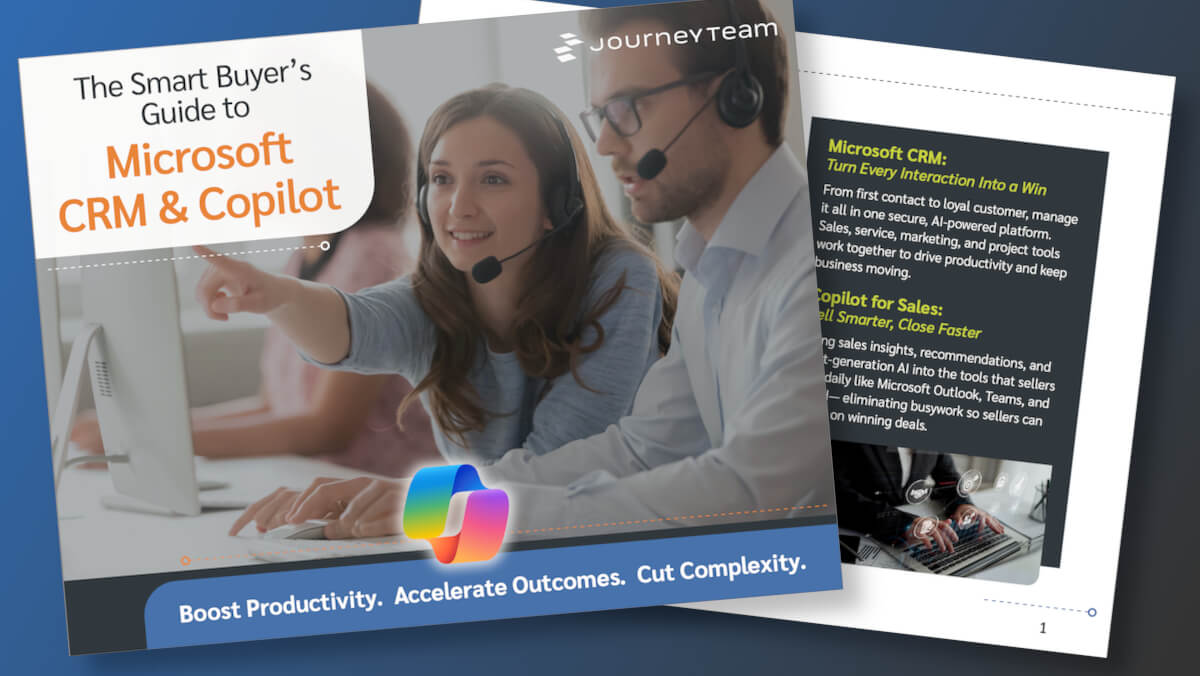
The Smart Buyer’s Guide to Microsoft Dynamics 365 CRM
Choosing the right CRM isn’t just a technology decision—it shapes how your entire business connects with customers, manages relationships, and closes deals. Get a clear, practical look at Dynamics 365 CRM, its built-in Copilot features, and how they simplify work across sales, marketing, customer service, and field operations.
Dynamics 365 CRM Integration Services
CRM systems rarely operate in isolation. Our Dynamics 365 CRM integration services unify all customer-facing functions into a single platform. Sellers see marketing engagement. Service agents understand purchase history. Field teams get real-time customer data.
We can integrate CRM with:
ERP systems like Dynamics 365 Business Central
Marketing platforms
Customer support systems
Reporting and analytics tools
Microsoft tools like Outlook, Teams, and Power Platform
Benefits of an integrated CRM:
Cleaner, more reliable data
Reduced manual entry and duplication
Better cross-team visibility
More accurate reporting
Smoother customer handoffs
Need a Dynamics CRM Support Partner?
If your system is live but underperforming, working with a Dynamics CRM support partner like JourneyTeam can help you improve what’s already in place.
Ongoing Support & Guidance
Stay ahead of issues with break/fix support, Microsoft release management, and day-to-day admin support, while keeping a prioritized enhancement backlog moving so the system improves instead of drifting.
Role-based Dashboards & Analytics
As your business evolves with new roles, processes, products, or data sources, we refine your reporting model, adjust KPIs and security, and keep dashboards aligned so stakeholders always have a reliable view of performance.
Unlocking Underused Features
Identify quick wins across automation, business process flows, forms and views, Outlook integration, and security, so users do less manual work and adoption improves.
Refining Workflows & Processes
Align CRM to how work actually happens today by simplifying stages, handoffs, approvals, and validations, making processes more consistent, measurable, and easier to follow.
Fine-Tune CRM Integrations
Optimize your CRM integrations so your users can work smarter – with less friction, duplication, and guesswork.
Right-Size Your CRM
If your Microsoft Dynamics 365 CRM feels sluggish, underutilized, or misaligned with your current business needs, our CRM Right-Sizing engagement is built to help, fast!
Real Stories. Real Impact.

Implementing CRM is a huge journey and financial commitment for a business. I feel so lucky to have found JourneyTeam, who see us as a long-term partner and grasp our broader vision. They identified that our initial use of the system would not help us achieve our goals. Through understanding our needs, they helped us get to a place where we are excited about what we have built and our future developments.
Stephanie Kuntz Director of Marketing, Palmer-Donavin
Make Your CRM Work the Way It Should
If your CRM isn’t delivering what you expected, or you’re trying to get it right the first time, we’ll identify where your CRM is creating friction, align it to real business processes, and build a clear, practical path forward.
Latest CRM Insights
Dynamics 365 CRM FAQs
A Microsoft Dynamics CRM consultant helps design, configure, and improve your CRM system so it aligns with how your business actually operates, including defining requirements, mapping processes, structuring data, and ensuring the system supports sales, service, and operational workflows, often working alongside broader Microsoft solutions like Power Platform to streamline processes across the business.
Microsoft Dynamics CRM consulting services through JourneyTeam typically include CRM strategy and roadmap planning, process mapping, requirements gathering, data and system design, and integration planning, along with aligning reporting capabilities, so organizations can make better decisions based on accurate, real-time data.
The timeline for a Dynamics 365 CRM implementation depends on complexity, but most projects range from a few weeks for focused deployments to several months for larger, integrated environments, especially when CRM is connected to ERP systems, which can add coordination but significantly increases long-term value.
Yes, Dynamics 365 CRM integration is one of the platform’s core strengths, allowing organizations to connect CRM with other ERP systems, marketing platforms, service tools, reporting solutions, and Microsoft 365 technologies like Outlook, Teams, and Power Platform, to eliminate duplicate data entry and improve visibility across the business.
Working with a Dynamics CRM consulting company like JourneyTeam helps avoid costly redesign, make better decisions about workflows and data structure, plan integrations correctly from the start, and improve adoption, often by combining CRM strategy with supporting capabilities like analytics and reporting.
Most organizations benefit from working with a Dynamics CRM support partner after implementation because CRM systems require ongoing refinement, including workflow adjustments, reporting improvements, and integration updates across tools to ensure the system continues to align with how the business evolves.
The most common issues in Dynamics CRM implementations are not technical but related to design and alignment, such as workflows that don’t match real processes, inconsistent data usage, weak reporting structures, and disconnected systems, which often require better integration planning and stronger CRM analytics and reporting to resolve effectively.
You likely need to improve your CRM system if teams rely on spreadsheets or workarounds, reporting is inconsistent, data is incomplete or duplicated, processes take longer than expected, or integrations are missing, all of which can often be addressed through better system alignment.