Who would have thought that sales reps spend an average of 440 hours a year searching for the right content to share with prospects. Or, that 71% of service agents say they waste time hunting down answers to customer questions. These eye-opening statistics highlight a common problem: many companies invest in CRM tools that don’t actually help sales and marketing teams work smarter.
The real question isn’t: “Which CRM has the most features?” Rather, the critical question is: “Which CRM will help us deliver measurable business value?”
Approaching CRM evaluation with this mindset, requires a shift for a lot of companies. Moving from checking boxes to driving outcomes, and from selection to successful adoption and real ROI.
The Pitfalls of CRM Buying and Implementation
When companies shop for a CRM, they often fall into three common traps that can derail long-term success: checklist thinking, siloed adoption, and tool sprawl.
Checklist Thinking
Many CRM evaluations start with a feature comparison spreadsheet. Does it have lead scoring? Email templates? Custom dashboards? While these features are important, they don’t answer the bigger question: Will this CRM help our teams work smarter and deliver better outcomes?
Checklist thinking can lead to selecting a tool that looks good on paper but doesn’t fit how your teams actually work. For example, a CRM might include sophisticated lead scoring, but if it doesn’t connect to your actual sales process or pulls in poor-quality data, reps will ignore the scores and fall back on gut instinct.
Instead of focusing solely on features ask:
- How does this CRM reduce manual work for sellers?
- Can it surface insights automatically to guide next steps?
- Does it integrate with the tools our teams already use (like Outlook, Teams, or Word)?
- Will it help us shorten sales cycles or improve customer satisfaction?
Takeaway: If you only compare CRMs by feature grids, you’ll miss the bigger picture. True ROI comes from time saved, processes streamlined, and outcomes improved, not just from checking boxes on a feature list.
Siloed Adoption
Let’s say you’ve found the right CRM but unfortunately it gets rolled out on a department-by-department basis. Sales gets one version, marketing another, and service still a different one. You end up with disconnected workflows, duplicated data, and inconsistent customer experiences.
Here’s what that might look like:
- Marketing might generate leads that don’t sync properly with sales pipelines.
- Service agents may lack visibility into customer history from sales interactions.
- Field teams might use separate tools for scheduling and reporting that make coordination difficult.
Tool Sprawl
A new CRM may look like a cure-all, but if you’ve dealt with tool sprawl in the past, simply switching platforms won’t necessarily make it disappear. You may end up with the same problem: one app for quoting, another for reporting, a plug-in for email tracking, and a stack of custom connectors to tie it all together.
Here’s our advice:
- Audit your stack before you migrate. Identify which of your previous tools are essential, and the ones that are provided by the new CRM and then can be retired. Modern CRMs often include quoting, reporting, and customer support modules.
- Rely on supported, out-of-the-box connectors rather than building fragile custom links wherever possible. A CRM that reduces the number of integrations isn’t just cheaper in licenses but saves time and money in long-term maintenance.
Checklist for Choosing a CRM that Drives Results
Instead of feature lists, use this checklist to focus on these critical aspects:
- Built-in AI to Accelerate Everyday Work
Look for a CRM that doesn’t just store data but actively helps users act on it. AI should assist with tasks like drafting emails and summarizing customer interactions. These are the kind of features that reduce manual effort and help people stay productive because they don’t have to switch tools. - Integration Across Sales, Marketing, Service, and Field Ops
A modern CRM should unify customer-facing functions into a single platform. It ensures that sellers see marketing engagement, service agents understand purchase history, and field teams have access to real-time customer data. Everyone is happier when duplication is reduced, handoffs are improved, and customers get a more seamless experience. - Security and Compliance Baked into the Architecture
Choose a CRM that enforces role-based access, encrypts sensitive information, and supports compliance with industry standards. IT teams need built-in audit trails, permission controls, and governance tools help them manage risk and encourage responsible data use across departments. - Ability to Customize Workflows with Low-Code AI Agents
Every organization has unique processes. A CRM should allow business users—not just developers—to tailor workflows using low-code tools and AI agents. Whether it’s automating lead qualification, routing service requests, or generating follow-up tasks, it should be easy for business users to do. - Proven Adoption and Partner Support
The best CRM won’t deliver value if teams don’t use it. Look for a partner with a strong track record of onboarding, training, and providing long-term support. An end-to-end partner can evolve your CRM strategy with you as your business grows.
The Business Value of Dynamics 365 CRM
We’ve listed the challenges, and the critical considerations. But before you buy a CRM system, we also suggest focusing on your broad business goals, and specifically how Dynamics 365 CRM can meet those objectives.
Productivity Gains
Business value is created when employees can spend more time on high-impact work and less on administrative tasks. By automating data entry, email logging, and record updates, Dynamics 365 Sales can free up hours for sales reps to engage with customers and close deals. This translates into more revenue-generating activity without increasing headcount.
Faster Deal Cycles
Shorter sales cycles mean faster ROI and better cash flow. When guided by Copilot, sellers can act on the right opportunities at the right time, reducing delays and improving conversion rates. That’s how your CRM becomes a strategic asset and not just a tracking tool.
Marketing Precision
When marketing teams can launch campaigns faster and target them more effectively, they drive better sales. Copilot in Dynamics 365 CRM Customer Insights (formerly Marketing), can personalize content and analyze performance to help reduce wasted spend and improve customer engagement.
Customer Satisfaction
Happy customers stay longer, spend more, and refer others. Dynamics 365 Customer Service improves service response times and consistency, boosting first-contact resolution and overall satisfaction for both customers and service reps. You’ll see less churn, and better brand loyalty.
Cost Control
A unified CRM platform means fewer systems to manage and faster onboarding for new employees. It also reduces tool sprawl and lowers licensing fees, IT overhead, and training costs. These efficiencies can impact the bottom line, making your CRM investment a driver of operational savings.
The Smart Buyer’s Guide to Microsoft CRM & Copilot
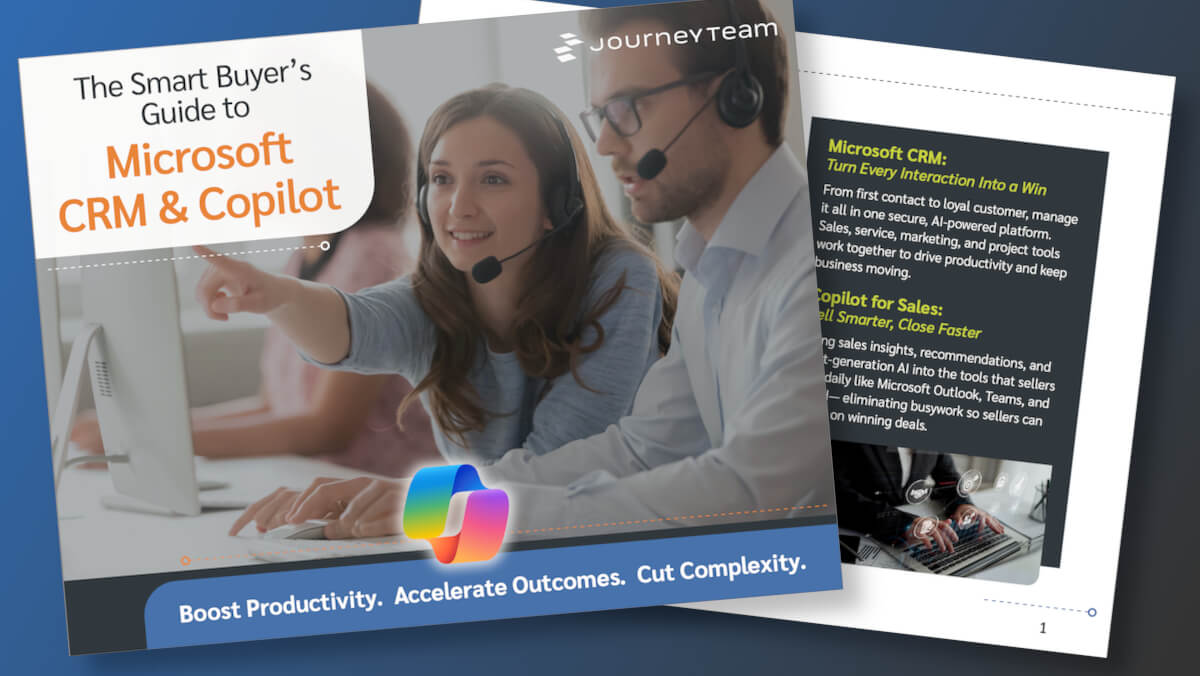
For more insights and buyer assistance, check out our new eBook. You’ll learn how choosing the right CRM shapes the way your entire business connects with customers, manages relationships, and closes deals.
From Buyer’s Guide to Business Value: Take the Next Step
Most CRMs look the same on paper. But when it comes to real results, Microsoft Dynamics 365 stands apart. JourneyTeam can help you cut through feature checklists and see why Dynamics is the right choice to drive faster sales cycles, smarter marketing, and better customer experiences.
Start with the facts: Download the Smart Buyer’s Guide to Microsoft CRM & Copilot to see how Dynamics stacks up.
Go deeper: Consider a CRM Audit with JourneyTeam’s experts to evaluate your current system and understand where Dynamics 365 CRM can deliver immediate impact and set your company up for long-term success.
Reach out: At JourneyTeam, we can give you a clear, practical look at Microsoft Dynamics 365 CRM, its built-in Copilot features, and how they simplify work across sales, marketing, customer service, and field operations. Reach out today and we’ll start the conversation!