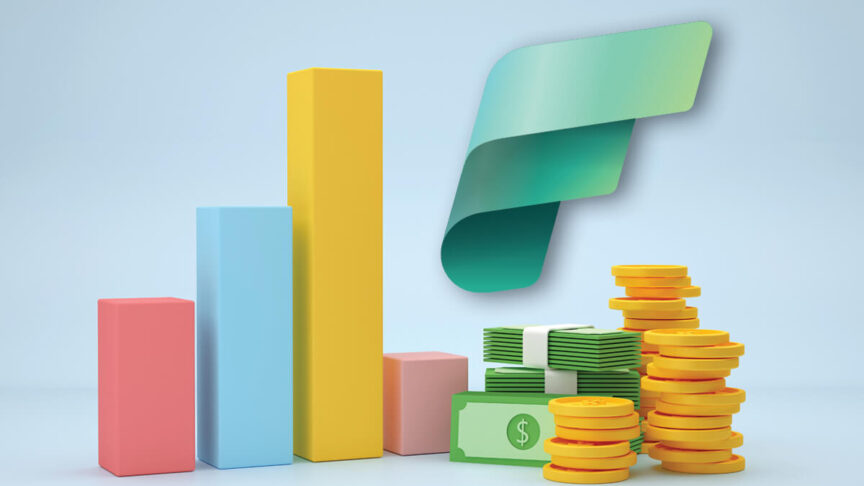

What’s the better path to a reliable, long-term data platform: building a DIY stack of open-source tools or adopting Microsoft Fabric? Both approaches can deliver a functioning lakehouse, but the trade-offs are very different.
DIY offers flexibility, yet often requires more engineering time, more oversight, and tolerance for variable costs. Fabric packages storage, compute, governance, and BI into a single platform, with licensing that scales in a more predictable way.
This article walks through the decision factors that matter most, things like team size, compliance obligations, service levels, and budget rhythms, so you can determine which path is the right direction for your company.
How to Choose? Or Where do you Start?
Choosing between Fabric and a DIY stack comes down to recognizing what your organization can realistically support. Some teams have the size, skills, and appetite to manage the moving parts of a custom stack, while others need the predictability and built-in controls of a packaged platform.
Key factors to weigh:
- Team Capacity & Skills
A DIY stack only works if you have people who can spend most of their time building and maintaining it. If you just have a couple of analysts or one generalist IT person, Fabric is probably a more practical choice. - Service Expectations
If you need data that refreshes on a set schedule and dashboards you can rely on, Fabric delivers that right away. If you need something unusual (like near-instant results from AI models or heavily customized data flows) DIY may give you that freedom, but it takes more work to keep it running. - Compliance Demands
If you have to meet rules like HIPAA, SOX, or GDPR, Fabric has built-in tools for access, security, and audit trails. With DIY, you’ll have to build and maintain those protections yourself, which can take months. - Budget Stability
DIY looks cheaper at first, but costs rise and fall with cloud usage and extra staffing. Fabric has a clearer price structure, which makes it easier to budget from year to year.
The key is matching the approach to your team’s capacity, compliance obligations, and tolerance for variable costs.
TCO Reality Check (Licenses vs. People Hours)
At first glance, building your own stack can look less expensive. The software itself is often open source, and cloud storage is relatively cheap. But the real costs show up in the people you need to run it and the way cloud bills can spike without warning.
Fabric shifts those costs. Instead of hiring engineers to stitch tools together, you pay for capacity (measured in “F-SKUs”) and a few Power BI Pro licenses for the people creating reports. For example, F2–F4 are the smallest entry tiers designed for light workloads, while F8–F16 are mid-range tiers that support more analysts and more viewers. The capacity price is predictable, and report viewers are covered under the capacity, which keeps budgeting simpler.
What This Looks Like in Practice
For many SMBs, the choice isn’t about open source vs. Microsoft—it’s about what you can actually sustain with the people and budget you have. Here are two typical examples:
| Profile | DYI Stack | Microsoft Fabric |
| Small Business 2 analysts, 100 viewers | • 1 senior data engineer = ~$180K • Cloud compute/storage = ~$25K • BI tool licenses (2 creators + 100 viewers) = ~$20K | • Fabric F2–F4 (small entry tiers for light workloads) = ~$3K–$6K annually • Power BI Pro for 2 analysts = $336 annually • 100 viewers covered by capacity |
| Total: ~$225K annually | Total: ~$3.5K–$6.5K annually, predictable | |
| Growing SMB 8 analysts, 200 viewers | • 1–2 data engineers = $180K–$360K • Cloud compute/storage = ~$40K • BI tool licenses (8 creators + 200 viewers) = ~$35K | Fabric F8–F16 (mid-range tiers sized for daily refreshes and more users) = ~$12K–$24K annually • Power BI Pro for 8 analysts = $1.3K annually • 200 viewers covered by capacity |
| Total: ~$255K–$435K annually | Total: ~$13.3K–$25.3K annually, predictable |
The takeaway: With DIY, the biggest costs are people and unpredictable cloud usage. With Fabric, the biggest cost is a predictable license. Even one full-time engineer can cost more than an entire year of Fabric capacity.
Note: The above cost estimates are based on typical market rates as of 2025. For the latest updates, always check the Microsoft Fabric pricing page.
Futureproofing: Staying Current Without Constant Rebuilds
Costs are only part of the equation. The other question is how well your data platform will hold up over time. DIY stacks often start strong but become harder to maintain as the pieces evolve separately. An API update can break a connector, an open-source project may stop being supported, or a key engineer might leave with critical knowledge. Even when nothing fails outright, just keeping versions in sync can become its own ongoing project.
Example: One company built its own connector to pull data from Salesforce. When Salesforce changed its API, the integration broke twice in two years. Each fix took weeks of engineer time that could have been spent on more valuable work.
Fabric is different. Because it is part of Microsoft’s cloud platform, updates to connectors, security, and governance are rolled out automatically. Features like Copilot for natural language queries, Purview for governance, and Power BI integration arrive as part of the subscription.
Futureproofing at a Glance
| Area | DIY Stack Risk | Fabric Advantage |
| Connectors | APIs change, integrations break and require manual fixes | Microsoft updates connectors as part of the platform |
| Version Control | Tools upgrade on different schedules → compatibility issues | Unified release cycle: updates delivered automatically |
| Skills & Staffing | Niche engineering knowledge is hard to replace if someone leaves | Broader skill pool; less reliance on specialists |
| Compliance | New rules (HIPAA, SOX, GDPR) require custom coding | Purview + Entra keep compliance controls up to date |
| Platform Lifecycle | Components age out, forcing costly rebuilds | Roadmap evolves with Microsoft cloud, so no need to re-platform |
Practical Checklist: Which Path Fits You?
Use these questions as a quick test of fit:
- Do we have enough dedicated engineers to build and maintain a complex system?
- Can we live with unpredictable cloud bills that may spike month to month?
- Do we need compliance controls (HIPAA, SOX, GDPR) in place right away?
- Are we willing to fund data teams for the long haul?
If most of your answers are no, then a packaged platform like Fabric is usually the safer and more predictable option.
Next Steps
If you want help mapping these trade-offs to your own business, JourneyTeam has guided SMBs through both approaches, DIY builds and Fabric implementations. Our experts can help you find the right direction.
Learn More:
Consider our Solution:
Contact Us:
Let’s start a conversation about what’s realistic for your organization.