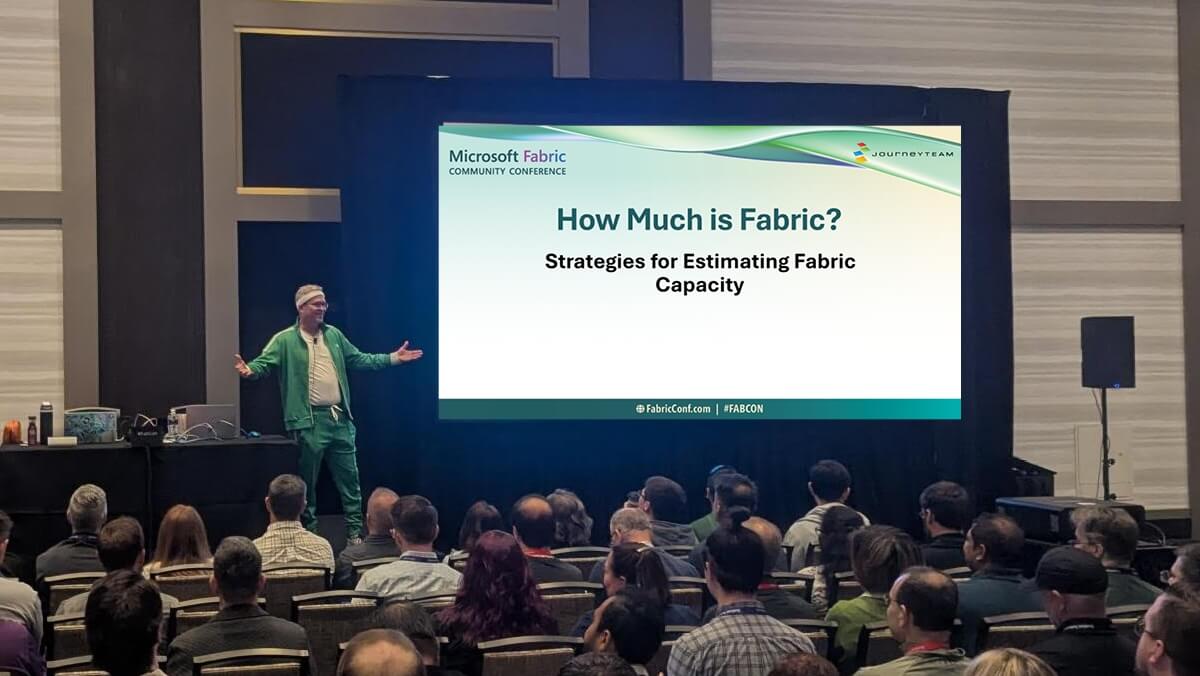

In the rush to adopt Microsoft Fabric—an all-in-one analytics platform that brings together data engineering, data science, real-time analytics, and business intelligence—many organizations are left wondering the same thing: How much is Fabric going to cost me?
Fabric is powerful. It unifies your entire data estate using OneLake, works seamlessly with Power BI, and enables cross-functional collaboration across roles and workloads. But with power comes complexity—especially when it comes to understanding how Fabric is licensed, how capacity is consumed, and how to forecast usage in a way that doesn’t blow your budget.
What Is Microsoft Fabric and How Is It Licensed?
Fabric is Microsoft’s unified analytics platform designed to simplify and accelerate data operations. Think of it as the “gym membership” of modern analytics: it provides everything you need, but you must understand how to use it—and how much you’re using—if you want to get results without overpaying.
At JourneyTeam, we’ve been working with customers not just to implement Fabric, but to help them fully understand how licensing impacts usage. We’ve rolled up our sleeves to explore Fabric’s pricing dynamics hands-on. Here’s what we’ve learned.
Licensing Overview
- Fabric is licensed by capacity, not per user (except for developers).
Rather than charging each end user, Microsoft Fabric charges based on compute capacity. This means your organization is billed for how much data processing power you consume; not how many people use it. Developers, however, always need a pro license, and customers do, as well, for SKUs below F64. - Capacity is assigned at the workspace level and can span multiple workspaces.
One capacity unit can support multiple workspaces, giving you flexibility in how you organize departments or projects. You can have more than one capacity and assign different workspaces to different capacities to isolate heavy workloads and protect production environments/capacities. This becomes especially useful when you start isolating heavy workloads— something we often recommend after seeing how reporting and ETL jobs compete for resources. - You can scale capacity up or down or even turn it on and off.
This feature is frequently mentioned, but not always leveraged effectively. We help clients develop automation schedules that pause unused capacity on nights and weekends—a simple, high-impact cost-saving move. - Microsoft offers reserved capacity for predictable workloads.
If your usage is consistent, reserved SKUs can save money. But if it’s unpredictable, a pay-as-you-go model with smart monitoring (like we help implement using the Fabric Capacity Metrics App) may be better.
Which Fabric Activities Consume the Most Capacity Units?
Understanding what eats into your Fabric compute budget is the key to managing it efficiently. Much of the current advice lists only high-cost activities—at JourneyTeam, we’ve measured them directly in CU (Capacity Unit) usage so we can give you concrete, experience-backed guidance.
That said, Fabric activities are measured in CUs, and consumption varies depending on the type and intensity of operations.
High-Consumption Activities
- Power BI report rendering (especially import models):
Import models are queries are fast but expensive if not carefully scoped. We’ve seen reports that refresh too often, or query unnecessarily large datasets causing massive CU spikes—insights we’ve surfaced through our internal benchmarks. DirectLake is much more efficient. - Machine learning training and scoring:
ML workloads and real-time analytics consume significant resources in the Fabric environment, especially with Spark-based notebooks. We help teams identify whether models should be trained in Fabric or offloaded to more cost-efficient compute services. - Large-scale T-SQL queries in Data Warehouses:
Large joins and aggregations over time-series data or deeply nested schemas can quietly drain your capacity. Our tests show just how quickly these workloads scale up in CU usage, depending on query optimization and dataset size.
Mid-Tier Consumption
- Dataflows Gen2:
In our experience, this is one of the best all-around tools—reasonably efficient, accessible to analysts, and flexible for transformation logic. Many clients start here because of its lower technical barrier and solid performance. - Notebooks:
Great for complex data science workflows and rapid prototyping. But during our benchmarking, we found that Spark sessions left idle (i.e., not shut down) could double or triple the CU consumption of the actual transformation. That kind of insight is only learned by running real workloads.
Lower Consumption
- Pipelines:
Data Factory pipelines are the tortoise in the race—slower, but extremely CU-efficient. We recommend them for batched, scheduled jobs where speed is less critical than cost.
How to Estimate Your Microsoft Fabric Costs
This is where many organizations get stuck—and where JourneyTeam’s approach makes a difference. Instead of generic advice like “start small,” we ran a full internal benchmark to understand how different workloads behave across tools and storage types.
Start with a Fabric Trial License
Microsoft’s free Fabric trial is a great place to begin, but it only gets you so far. That’s why we used our trial period to simulate realistic enterprise workloads across different sizes and tools.
Run Benchmarks with Multiple Workloads
We tested three data scales—100M, 10M, and 1M rows—across:
- Dataflows Gen2
- Notebooks
- Pipelines
We then pushed that data into lakehouses, warehouses, and dataflows, measuring not just time, but CU consumption and efficiency.
Compare Processing Tools and Storage Options
From those tests, we discovered:
- Lakehouses are the most performant storage choice in both speed and cost.
- Pipelines are ideal for budget-conscious ETL tasks, even if they take longer.
- Dataflows Gen2 provide a sweet spot for organizations balancing technical skills with cost efficiency.
- Notebooks are powerful—but dangerous to your CU bill if Spark clusters are left open.
These aren’t guesses—they’re insights drawn from direct experience.
Cost-Saving Strategies for Microsoft Fabric Workloads
Here’s how we translate what we’ve learned into practical, repeatable strategies:
1. Separate Reporting and ETL Workspaces
This is one of the easiest ways to gain control over capacity usage. When reports and ETL jobs share a workspace, they compete for the same capacity pool. Through real testing, we’ve seen how separating them improves performance and reduces cost volatility.
2. Use Reserved Capacity Where Predictable
Don’t guess—use trial period benchmarks to assess workload predictability. We help clients model their usage curves to see if a reserved SKU would pay off. If it does, this move alone can cut costs dramatically.
3. Turn Off What You Don’t Use
Many teams forget this: you can pause capacity in a pay-as-you-go model. We show clients how to automate this based on usage patterns—another insight gained from monitoring real-world consumption in the Fabric Capacity Metrics App.
4. Monitor Usage Constantly
The Fabric Capacity app is powerful, but only if you know what to look for. We coach teams how to spot unusual spikes, identify long-running jobs, and optimize refresh schedules based on actual demand—not guesswork.
5. Ask Strategic Questions:
- Are your workloads continuous or batched?
- When are users actively engaging with reports?
- Is it worth building deployment pipelines, or can version control be handled more simply?
- Do you need high-SKU features like Copilot, or are you paying for tools you aren’t using?
These questions aren’t just theory. We’ve asked them alongside clients, evaluated the trade-offs, and helped teams build tailored governance models that align with budget and business goals.
Fabric is Flexible—If You Know How to Shape It
Just like starting a gym routine, getting started with Fabric takes planning. You don’t need to lift heavy (capacity) from day one. Start small, monitor progress, and optimize over time. At JourneyTeam, we don’t just implement Fabric—we demystify it. From benchmarking to optimization, we’ve built a practical playbook for controlling costs, maximizing performance, and making Fabric work for your business.
Want to Dive Deeper?
Reach out to us and let’s build a strategy that fits your data goals and your budget.