Dynamics 365 AI Agent Readiness: 6 Questions to Ask Before Deployment
A practical checklist for confident AI agent rollout.
 Mike Smith - Copilot & AI Lead
Dynamics 365 AI agents are built-in tools that use CRM data and your defined business processes to support sales and customer service work. An agent works with what your organization gives it: the CRM records it reads, the processes it follows, the knowledge it draws on, and the rules that limit what it can do. If any of those is weak, the agent’s output will show it.
These six questions cover where to look before you deploy to Dynamics 365 Sales or Customer Service: data, processes, knowledge, governance, users, and pilot testing.

1. Is Our CRM Data Ready for Dynamics 365 AI Agents?
Dynamics 365 Sales agents work from records already in your CRM.
Dynamics 365 Sales Agents
- Sales Qualification Agent
- Sales Opportunity Agent
- Sales Research Agent
- Recommended Actions Agent
- Sales Agent in Microsoft 365 Copilot
These agents use sales data to research and qualify leads, surface opportunity risks and recommendations, answer business questions, prioritize seller actions, and support work across Microsoft 365. Incomplete or outdated records weaken the context available to the agents and make their guidance less reliable.
53% of leaders cite data readiness and access as the top barrier to AI agent deployment.
KPMG AI Quarterly Pulse Survey, Q3 2026
| Step | Action | Key Activities |
|---|---|---|
| 1 | Clean and Connect Your Data | • Bring leads, accounts, contacts, opportunities, and activities into Dynamics 365 Sales. • Capture important customer interactions stored in inboxes, spreadsheets, or personal notes. • Link contacts to the correct accounts and opportunities. |
| 2 | Complete Key Fields | • Make sure critical lead and opportunity fields are complete and current. • Prioritize company, industry, size, location, role, source, product interest, stage, value, and next step. • Fill gaps in recent sales activity and engagement history. |
| 3 | Clean and Standardize Records | • Merge duplicate accounts, contacts, and leads. • Standardize company names, industries, locations, job titles, lead sources, and opportunity stages. • Assign responsibility for ongoing data quality. |
| 4 | Validate Your Data | • Confirm dashboards and reports reflect what your sales team expects. • Check key fields for completeness and consistency. • Correct discrepancies before agents begin using the data. |
| 5 | Start Small with Agents | • Define your ideal customer profile and map its criteria to Dynamics 365 fields. • Enrich missing firmographic data when needed. • Start with a defined lead or opportunity segment. • Review agent results and refine before expanding. |
2. Are Our Business Processes Ready for AI Agent Deployment?
Business process readiness means giving an AI agent a clear, consistent workflow to follow. An agent can support and automate a defined process, but it can’t resolve conflicting rules, unclear handoffs, or inconsistent decisions across teams:
- If sales teams do not agree on what qualifies a lead, a Sales Qualification Agent has no consistent framework to follow.
- If opportunity stages mean different things to different sellers, opportunity recommendations become less reliable.
- If service teams escalate cases differently, a Case Management Agent may reinforce inconsistency rather than improve efficiency.
| Step | Action | Key Activities |
|---|---|---|
| 1 | Define Decision Rules | • Establish how leads and opportunities should be qualified and prioritized.Define when sellers should act, follow up, or escalate. • Decide how missing or uncertain information should be handled. |
| 2 | Standardize the Sales Process | • Define consistent stages, activities, handoffs, and approvals. • Specify what should happen at each stage. • Document exceptions that require seller judgment. |
| 3 | Establish Ownership | • Assign an owner for each sales process. • Clarify who makes decisions and handles exceptions. • Define who maintains the process as business needs change. |
| 4 | Map Agent Support to the Process | • Identify where agents can research, prioritize, summarize, or recommend next steps. • Define when the agent acts and when a seller takes over. • Use agents to support not replace seller judgment. |
| 5 | Measure and Refine | • Track qualification, conversion, pipeline, and seller productivity. • Compare agent-supported results with established expectations. • Refine the process and agent rules before expanding use. |
3. Is Our Knowledge Content Ready for Dynamics 365 Customer Service Agents?
Dynamics 365 Customer Service and Contact Center agents depend on accurate, current, and searchable knowledge content to recommend useful answers and support consistent service. Strong knowledge management gives these AI agents a more reliable foundation for assisting representatives and customers.
- The Customer Knowledge Management Agent analyzes case history and drafts knowledge content.
- The Customer Intent Agent can recommend knowledge articles.
- The Customer Assist Agent helps representatives and customers find answers during interactions.
| Step | Action | Key Activities |
|---|---|---|
| 1 | Capture Knowledge | • Document recurring customer questions and issues. • Turn case history and employee expertise into reusable guidance. • Capture answers currently shared informally by experienced employees. |
| 2 | Review and Clean | • Confirm content is accurate, complete, and current. • Remove duplicate, conflicting, or outdated guidance. • Identify gaps where employees struggle to find answers. |
| 3 | Organize and Govern | • Organize content so agents can retrieve the right information. • Assign an owner to each major knowledge area. • Define approval and update procedures. |
| 4 | Make Answers Easy to Find | • Use clear titles, terminology, categories, and descriptions. • Test searches to make sure the right articles surface. • Correct searches that return irrelevant or conflicting content. |
| 5 | Monitor and Improve | • Review agent-recommended and agent-drafted content for accuracy. • Use recurring cases, searches, and employee feedback to identify gaps. • Keep knowledge current as products, policies, and procedures change. |
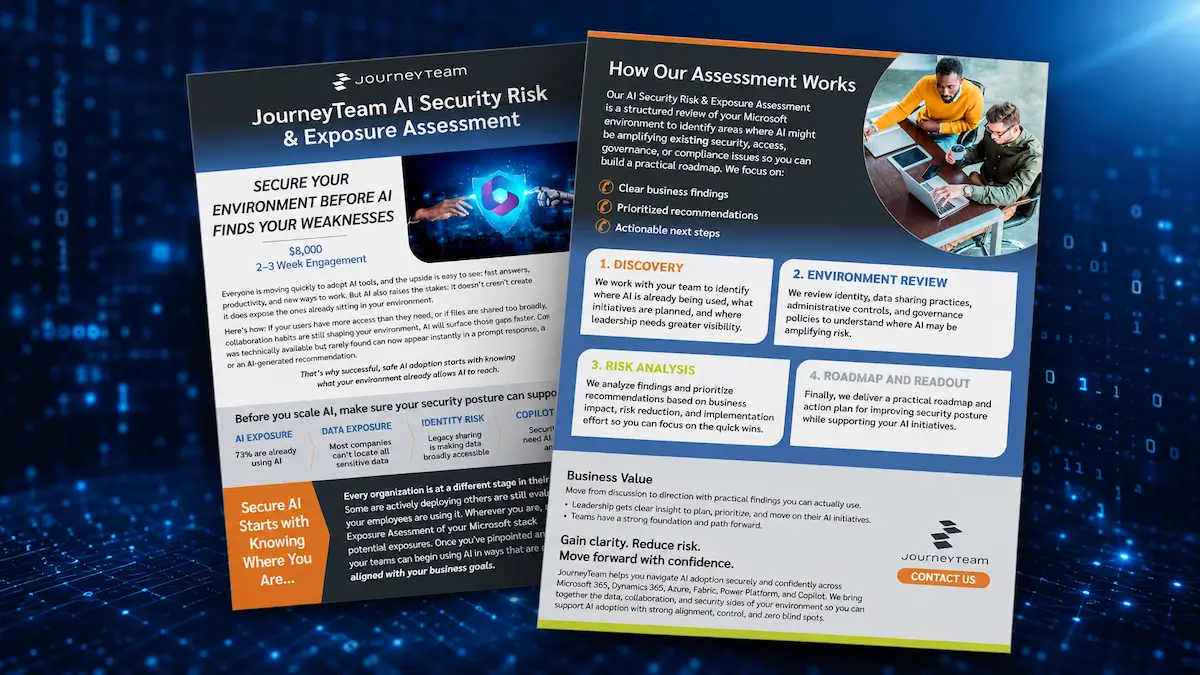
Secure Your Environment Today
Our AI Security Risk & Exposure Assessment is a structured review of your Microsoft environment to identify areas where AI is amplifying existing security, access, governance, or compliance issues so your teams can begin using AI in ways that are safe and smart.

4. Have We Defined AI Agent Governance and Security Requirements?
AI agent governance defines who can use an agent, which data it can access, what actions it can take without approval, and how its output is monitored. These controls keep sensitive data from reaching the wrong people and keep a person in the loop on what the agent does, from the pilot through broader deployment.
There is no agent-powered future without a strong foundation of trust—grounded in governance, data integrity, and responsible use. If you want to scale with confidence, trust has to come first.
Steve Chase
KPMG Vice Chair of AI and Digital Innovation
AI Quarterly Pulse Survey
| Step | Action | Key Activities |
|---|---|---|
| 1 | Define Scope and Use Cases | • Identify which agents will be used and what they will do (recommend, create, assist, prioritize, etc.). • Determine which activities are customer-facing or business-critical. • Assess the level of risk for each use case. |
| 2 | Set Policies and Approval Rules | • Define when human review or approval is required. • Establish policies for AI-generated content and recommendations. • Integrate agent output into existing approval and compliance processes. |
| 3 | Protect Data and Control Access | • Identify sensitive data (PII, financial, contract, health, etc.). • Apply data security, retention, and access controls. • Ensure agents can only access the records and information allowed for their role. |
| 4 | Ensure Compliance | • Align with industry regulations and internal policies. • Address data residency, privacy, and audit requirements. • Document how agents’ actions and recommendations will be monitored and reported. |
| 5 | Monitor and Refine | • Track agent activity, recommendations, and outcomes. • Review for risks, bias, or unexpected results. • Update policies and controls as agents, use cases, and regulations evolve. |
5. Are Our Users Ready to Work Alongside AI?
Agent adoption depends as much on people as technology. Even a well-designed agent will deliver limited value if employees are uncertain about how it fits into their work or reluctant to use it. Employees who receive both AI tools and guidance are 2.5 times more likely to use AI and 4.5 times more likely to be AI fluent.
| Step | Action | Key Activities |
|---|---|---|
| 1 | Clarify Roles | • Explain what the agent does and what it does not do. • Clarify where people retain judgment and accountability. • Show how the agent fits into everyday work. |
| 2 | Train by Workflow | • Tailor training to each user group and its responsibilities. • Use real scenarios instead of feature demonstrations. • Teach users when to review, revise, approve, or escalate agent output. |
| 3 | Set Validation Expectations | • Define which recommendations and customer-facing content require review. • Teach users how to recognize incomplete or inaccurate output. • Establish procedures for exceptions and escalations. |
| 4 | Lead Adoption | • Involve managers early and reinforce appropriate agent use. • Explain how agents will change day-to-day work. • Identify experienced users who can support colleagues during rollout. |
| 5 | Measure and Improve | • Define adoption and effectiveness goals before rollout. • Give users an easy way to provide feedback. • Use feedback and results to improve training, workflows, and agent configuration. |
6. Have We Piloted and Tested the AI Agent in Real Business Scenarios?
An AI agent demo shows what the technology can do in a controlled setting. An AI agent pilot tests agents within your CRM data, business processes, users, and real-world Dynamics 365 workflows; for example 50 recent leads or last month’s opportunities.
55% of organizations remained in the AI-agent pilot phase as agent deployment accelerated.
KPMG AI Quarterly Pulse Survey
A successful agent rollout is not just about the technology. The rest of the organization needs to be ready too, from the data and processes behind the agent to the people who will use it.
If you uncover gaps, fix the most important ones before you scale. A focused pilot shows you what works in practice and catch what still needs attention before broader rollout.
| Step | Action | Key Activities |
|---|---|---|
| 1 | Define the Pilot | • Choose specific use cases, teams, and business objectives. • Define the success criteria and expected outcomes. • Set a realistic scope and timeframe. |
| 2 | Prepare for Real-World Testing | • Confirm data, knowledge content, and process readiness. • Ensure governance, access, and approval rules are in place. • Prepare and train users who will participate. |
| 3 | Run Real Scenarios | • Test with actual records, conversations, and workflows. • Evaluate a mix of common and complex situations. • Capture where the agent performs well and where it struggles. |
| 4 | Gather Feedback | • Collect input from users, managers, and stakeholders. • Identify process gaps, data issues, governance concerns, and training needs. • Measure results against the defined success criteria. |
| 5 | Refine and Decide | • Address issues with data, process, governance, or training. • Retest changes to confirm improvement. • Use results to decide whether to expand, adjust the scope, or refine the agent’s role. |
Don’t Just Turn On an Agent. Put It to Work.
We’ll help identify a high-value Dynamics 365 use case, uncover the gaps that could hold it back, and shape a focused pilot with clear measures of success. Move forward with less risk and a strong path to more immediate business value.