Microsoft Copilot Cowork represents the next practical step in AI for work. At JourneyTeam, we have already seen how Microsoft Copilot helps people write, summarize, analyze, and move through everyday tasks faster. That productivity gain is real.
But for many organizations, the bigger opportunity is helping teams move work through broken processes, disconnected systems, manual handoffs, and inconsistent execution.
In simple terms, Microsoft Copilot Cowork moves AI from “help me do this task” to “help this work get done.”
What Is Microsoft Copilot Cowork?
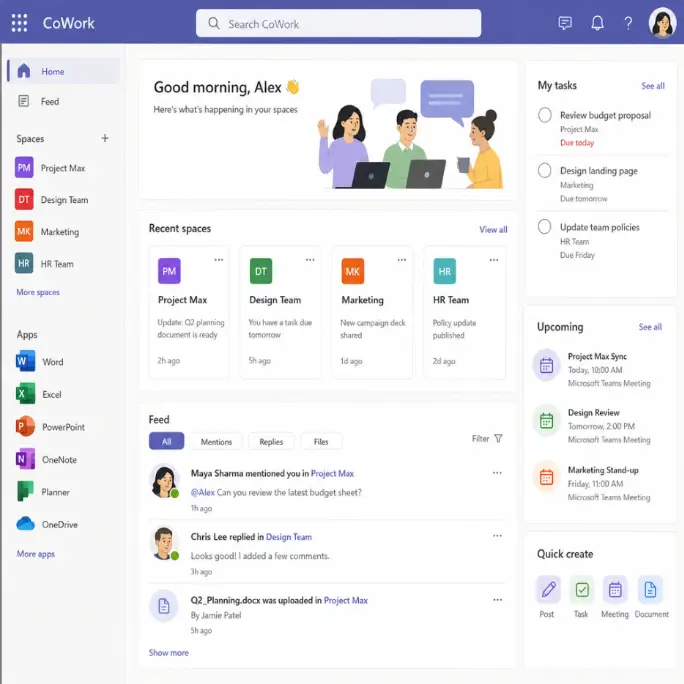
Microsoft Copilot Cowork is a delegated-work experience inside Microsoft 365 Copilot. Instead of asking Copilot Chat for a one-time answer, summary, or draft, a user can give Cowork a larger outcome to complete across Microsoft 365 apps and content.
Cowork turns the request into a plan, shows progress as it works, asks for clarification when needed, and requires approval before sensitive actions such as sending an email, posting in Teams, scheduling a meeting, or changing files. That makes the experience different from a simple prompt-and-response interaction.
Here’s a quick definition of the tools:
- Copilot Chat helps individuals work faster. It is best for writing, summarizing, research, analysis, and other point-in-time productivity tasks.
- Agents perform defined jobs. They can be designed to answer questions, follow a process, retrieve data, or complete a workflow based on a specific purpose.
- Microsoft Copilot Cowork helps users delegate work. It gives a person a way to assign a larger task, review the plan, track progress, redirect the work, and approve actions before they happen.
- Work IQ sits underneath the experience. It provides the permission-aware intelligence layer that supports Cowork and agents.
Why Work IQ Matters
One of the most important parts behind Cowork is Work IQ. Work IQ is the intelligence layer underneath that helps Copilot and agents use organizational context, Microsoft 365 tools, and persistent working storage for longer-running tasks.
This is where Microsoft’s broader platform becomes critical.
- Chat: Work IQ provides the conversational layer that lets agents collaborate, hand off work to one another, and return finished, Copilot-quality responses.
- Context: Work IQ helps agents assemble work context from Microsoft 365 and connected systems, so the agent does not have to rely only on user input.
- Tools: It gives agents a governed way to retrieve, create, and update information across Microsoft 365 resources where the user has permission.
- Workspaces: It provides persistent storage (built on SharePoint Embedded, inside your Microsoft 365 tenant) for longer-running agent workflows, including intermediate data, outputs, task progression, reuse, and handoff.
- Governance: It preserves existing permissions and policy controls, so agents work within the organization’s security model.
Where Cowork Adds Real Business Value
Microsoft Copilot Cowork’s value shows up in larger business tasks that span the systems already running the business.
For example, a sales manager could ask Cowork to prepare a weekly quote follow-up. Cowork could:
- Review open quotes and related opportunity records.
- Check recent customer emails and meeting notes.
- Identify quotes with no recent activity and draft follow-up messages.
- Prepare a short summary of each account.
- Flag any items that need manager review.
Before anything is sent or changed, the manager can review the plan, adjust direction, approve messages, and confirm updates to CRM or Teams. This is different from asking Copilot Chat to draft one follow-up email—it’s a practical way to delegate the work, watch it unfold, step in when judgment is needed, and approve the final actions.
That same pattern can apply across several functional departments:
- Sales operations: Review stalled opportunities, identify missing follow-up, draft next-step communications, and update CRM records.
- Finance: Support invoice processing, reconciliation workflows, exception handling, and approval routing.
- Customer service: Help route cases, summarize history, surface knowledge articles, and support escalation workflows.
- Field service: Assist with work order review, scheduling inputs, technician updates, and follow-up documentation.
- Leadership and operations: Prepare recurring reviews, summarize project activity, compare documents, and create action plans from trusted data.
Microsoft Copilot Cowork vs. Claude Cowork
Search interest around Claude Cowork vs. Microsoft Copilot Cowork is understandable. Organizations want to know which agentic tools are secure, useful, and cost-effective. Microsoft has positioned Copilot Cowork as an option grounded in Microsoft 365, Work IQ, and existing permission models.
It is worth being transparent about how the two relate. Microsoft built Copilot Cowork in collaboration with Anthropic, and it runs on Anthropic models (with additional model choices) as a sub processor inside your tenant. The practical difference is where each one works: Claude Cowork acts on files and apps on a user’s local device, while Copilot Cowork runs in the Microsoft cloud and acts on the content in your Microsoft 365 tenant, under your existing permissions.
That matters for companies already operating in the Microsoft ecosystem because Cowork works where their data, workflows, and governance already live. It reduces the need to recreate context or move sensitive data into external systems just to make AI useful.
For most organizations, the question is less about a generic AI comparison and more about fit:
- Can the agent work securely inside our environment?
- Can it use our business data correctly?
- Can we govern it?
- Can it help move real processes forward?
How JourneyTeam Finds the Right Fit for Cowork
Organizations don’t need a new strategy because of AI. They need to understand where AI can help execute their existing strategy more effectively.
At JourneyTeam, we help organizations identify where Microsoft Copilot Cowork fits into the outcomes they already care about: increasing revenue, reducing costs, mitigating risk, and improving operational visibility.
Getting Ready for Cowork
Here’s a straightforward way to start:
- Identify high-friction workflows where handoffs, delays, or manual updates slow teams down.
- Clean up the data and permissions Cowork will rely on.
- Connect core systems such as Microsoft 365, Dynamics 365, Power Platform, and Fabric so Cowork—and the custom agents you build on Work IQ—can reach across that broader data and process landscape.
- Build custom agents in Copilot Studio where standard experiences do not match the process.
- Create governance so employees know when Cowork can act, when it needs approval, and how results are reviewed.
Cowork can help complete work, but the business still needs clear processes, clean data, secure access, and adoption planning. Because Copilot Cowork is billed on a usage (consumption) basis—separate from a standard Microsoft 365 Copilot license—planning for cost governance is part of readiness, too.
What Comes Next
JourneyTeam is excited about Microsoft Copilot Cowork because it aligns with what organizations actually need: connected systems, governed AI, and measurable productivity gains beyond the individual user. For companies already invested in Microsoft 365 and Dynamics 365, Cowork offers an integrated path from general AI assistance to transparent, AI-driven workflow execution.