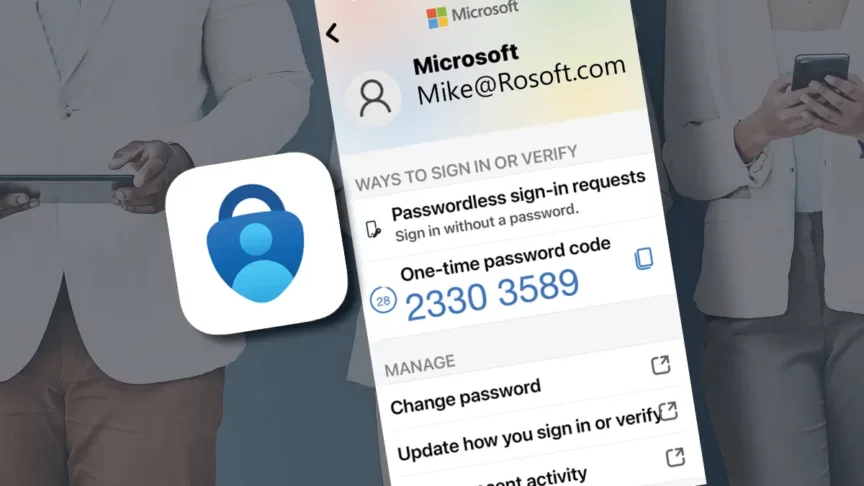

For years, SMS and voice-based multifactor authentication (MFA) helped organizations improve security beyond passwords alone. Now, Microsoft is taking the next step in its push toward stronger, modern authentication methods.
Beginning September 1, 2026, Microsoft Entra ID will start making passkeys the default authentication experience for users currently enabled for SMS or voice authentication.
Then, on February 1, 2027, Microsoft will retire Microsoft-provided SMS and voice authentication services entirely. If you continue using these methods, you’ll need to transition users to passkeys or another supported sign-in option, such as Microsoft Authenticator or Windows Hello for Business.
What Microsoft Is Changing
Microsoft’s announcement introduces two important milestones organizations should understand:
| Date | Change |
| September 1, 2026 | Users enabled for SMS or voice authentication begin receiving passkey registration prompts. |
| February 1, 2027 | Microsoft-provided SMS and voice authentication services are retired. |
| After February 1, 2027 | Users whose only MFA method is SMS or voice authentication will be required to register a passkey before they can continue signing in. |
Microsoft is making these changes as part of a broader move toward the use of phishing resistant authentication methods, because passkeys and other modern authentication methods provide stronger protection.
It’s important to distinguish between retiring Microsoft-provided SMS and voice authentication and removing every possible phone-based option. Some organizations may still need phone-based authentication for specific user groups, such as frontline workers, shared-device users, temporary workers, contractors, or employees who do not have access to a managed device.
In those cases, organizations may need to evaluate a supported third-party SMS/voice provider, but that decision should be made intentionally rather than left as a last-minute workaround.
Organizations do not need to wait for the deadlines to begin preparing. In fact, Microsoft recommends understanding current authentication usage now so there is sufficient time to plan and execute a transition.
How to Determine Whether Your Organization Still Uses SMS or Voice Authentication
Organizations often assume they have already moved beyond phone-based authentication, only to find that SMS or voice remains enabled even when newer methods are available. These methods may remain in place for MFA, self-service password reset, account recovery, or backup sign-in after initial deployment.
Start with an assessment of your current environment. Specifically, identify:
- Which users are enabled for SMS authentication
- Which users are enabled for voice authentication
- Whether SMS or voice is still being used for MFA or SSPR
- Which user groups may face challenges adopting passkeys, such as frontline workers, shared-device users, or employees without company-managed devices
This assessment helps understand the scope of the transition. Some may find only a handful of affected users, while others may identify departments or worker groups that require additional planning before changes are made.
What JourneyTeam Delivers
Once you understand who is still using SMS or voice authentication, the next step is creating a practical transition plan.
JourneyTeam can help you move from assessment to action by identifying affected users, evaluating replacement authentication options, and developing a rollout strategy that aligns with business requirements.
Our approach focuses on practical outcomes, including:
- A report identifying users currently enabled for SMS or voice authentication
- Analysis of departments or user groups that may require additional planning
- Recommendations for passkeys and other supported authentication methods
- Guidance on migration sequencing and phased rollouts when appropriate
- Recommendations for user communication, adoption, and training
- Planning designed to minimize disruption during the transition
Prepare Teams Before the Change
The key is having a plan in place before Microsoft’s retirement deadlines begin affecting users.
Authentication changes can generate questions and support requests if users are not prepared. Many employees have used the same sign-in process for years. When they suddenly receive a prompt to register a passkey, they may not understand why the change is happening, what information is being requested, or whether action is required.
A successful passkey rollout starts with communication well before users are asked to adopt a new authentication method. Explain:
- Why the change is happening
- When users can expect to see passkey registration prompts
- What sign-in methods will be available moving forward
- What users need to do to prepare
- Where users can go for support
Focus on practical guidance – most users don’t need to understand authentication protocols or security architecture. They simply need to know how the new sign-in experience works and what actions they need to take.
If your organization has a large user group setup, a phased communication plan might be the best approach. Pilot groups, early communication, and targeted training can help identify issues before a broader deployment.
If you take the time to invest in communication and training, you’ll improve adoption rates, reduce support requests, and create a smoother transition for both users and IT teams.
Need to Know Whether You’re Affected?
Request Microsoft Entra ID Authentication Assessment
We can help identify users still relying on SMS or voice authentication, evaluate passkey readiness, and build a practical migration plan before Microsoft’s February 2027 deadline.