Passwords are still the default sign-in method for Microsoft 365 in many organizations, even those with MFA. That’s a problem: passwords get reused, phished, and leaked, making them one of the easiest ways into cloud environments.
Microsoft’s answer is to take passwords out of the equation with passwordless sign-in through Microsoft Authenticator and Windows Hello for Business. Both are backed by identity controls in Microsoft Entra ID.
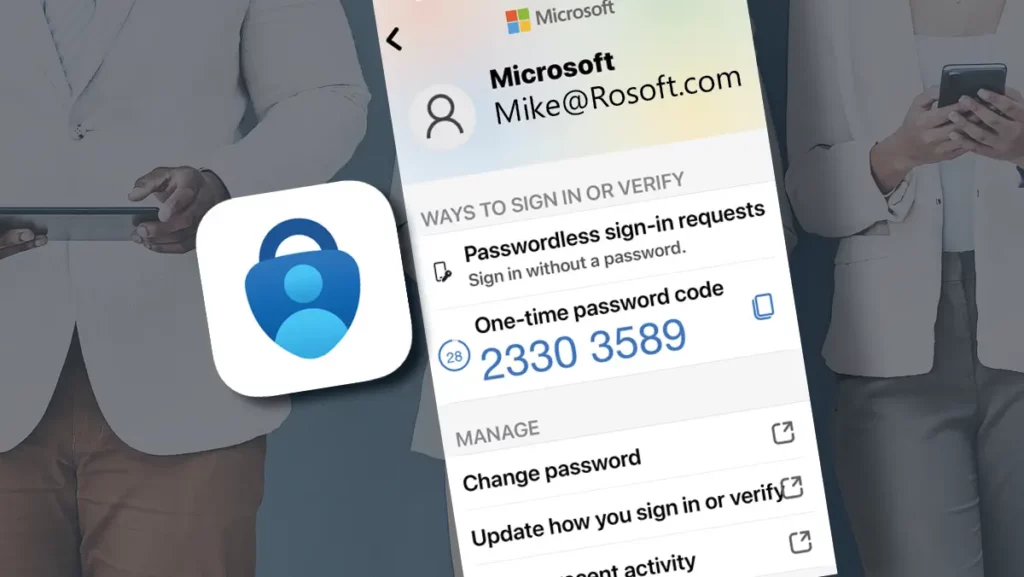
This capability is already built into Microsoft 365, so users still open the same apps (Outlook, Teams, SharePoint, Word). What changes is the proof of identity: instead of a password plus MFA, users sign in using biometrics through Windows Hello for Business or a Microsoft Authenticator passkey, so there’s no password to type.
What Changes and What Doesn’t
For most users, it still feels familiar: open Outlook, Teams, or SharePoint, then sign in when prompted. The difference is the prompt. Instead of a password box, users approve a passkey sign-in in Microsoft Authenticator using biometrics or a device PIN.
Apps open as usual, but operations improve: fewer resets and lockouts, fewer “my account got phished” cleanups, and clearer Entra sign-in data, which means less time spent on bad passwords and repeated prompts.
Phone-based authentication can feel like “one more step,” but it often replaces the password-plus-second-factor sequence with a single approval tied to a device the user already has (the passkey).
Why Microsoft Is Betting on Passwordless
Microsoft is pushing passwordless because identity attacks are industrialized: phishing kits, QR-code lures (quishing), voice traps (vishing), rise quickly when the prize is a reusable password or a stolen MFA session.
The controls are already there. With Microsoft Entra ID, Conditional Access can require compliant devices for SharePoint downloads, block legacy authentication, enforce stronger sign-in for admins, or step up authentication when risk is elevated (new country, impossible travel, unfamiliar device). Pair that with phishing-resistant methods like Authenticator passkeys or Windows Hello for Business to reduce credential theft and MFA session hijacking.
Why Passwords & Phishing-Prone MFA Are Still the Weakest Link
The real problem with passwords is the lifecycle burden they create: they have to be created, remembered, stored, rotated, reset, and audited, and people will always take shortcuts under pressure.
The failure modes are constant: reset tickets, lockouts, shared accounts that become permanent, and service accounts that rarely rotate because changes might break an app. Even with MFA, the password still has to be created, stored, remembered, and typed.
Passwordless reduces that exposure by removing the shared secret. Access becomes a real-time approval tied to a device the user controls, so the common “stolen password” starting point isn’t there.
What Passwordless Looks Like Day to Day
In day-to-day moments, like a new laptop sign-in, Outlook on the web while traveling, or a SharePoint link from email, users approve the passkey prompt with biometrics and keep working, without remembering or resetting a password.
For IT, the wins are measurable: fewer “password expired/locked out” tickets and better protection against adversary-in-the-middle (AiTM) attacks that steal MFA sessions. Identity signals become more useful too – unfamiliar devices, suspicious locations, and high-risk sign-ins.
Because it’s enforced through Microsoft Entra ID, passwordless can extend beyond Microsoft 365 through SSO to SaaS apps, Azure portals, and Entra-integrated business apps, creating one consistent user experience and one policy engine.
Signs it’s Time to Rethink Passwords
If users still type passwords daily, phishing remains a viable path even with MFA.
Common indicators include:
- Users still rely heavily on passwords (frequent resets, saved credentials in browsers, or repeated lockouts)
- MFA is enabled, but inconsistently enforced (certain apps excluded, legacy protocols still allowed)
- You’re seeing ongoing phishing attempts or risky sign-ins (impossible travel alerts, unfamiliar devices, repeated push prompts)
- More access is happening outside the office (remote work, BYOD, vendors, and cloud apps accessed from anywhere)
If several of these are true, you’re not alone. This is what most environments look like today.
How to Get Started Without Disruption
You don’t need a full overhaul to move away from passwords. Most organizations pilot, learn, then expand:
- Enable passwordless for a pilot group in Microsoft Entra ID to validate the experience and resolve issues before scaling.
- Standardize on Microsoft Authenticator and enable passkeys to reduce phishing risk and MFA session theft.
Start with higher-risk roles like finance, executives, and administrators. Don’t flip everything at once, pilot, tighten policies, then expand.
The Takeaway
Passwords made sense when systems were isolated. Today everything is connected, and attackers operate at scale. Passwordless doesn’t just add security, it also removes an attack surface. Most users find it simpler than passwords plus codes.
If you’d like help moving to phishing-resistant, passwordless authentication, JourneyTeam is a Microsoft Solutions Partner for Security with hands-on experience across Microsoft Entra ID. We can support you with our Cyber Identity Risk Assessment to identify high-risk identity gaps and build a prioritized remediation plan.
Reach Out
Let’s talk about your current state and the right next step.