
Cybersecurity guidance is constantly evolving, as organizations deal with a complex mix of phishing, ransomware, and identity attacks inside their cloud environments.
At the same time, AI adds another layer of exposure if employees are using AI tools before IT, and security teams have defined policies, permissions, or governance. IBM’s 2025 Cost of a Data Breach Report found that breaches involving unauthorized or unmanaged AI tools added an average of $670,000 in cost, which makes AI governance a financial risk issue as much as a technology issue.
The Painful Costs of Cybersecurity Breaches
Cybersecurity breaches are expensive because they interrupt the work your business depends on. Systems can go offline, employees lose productive time, customer updates get delayed, and IT teams must pause planned projects to respond.
For SMBs and mid-market teams, the challenge is often capacity. The same people responsible for help desk tickets, system upgrades, security monitoring, user access, and daily operations might also have to coordinate vendors, preserve evidence, answer leadership questions, support insurance requests, and restore affected systems.
This often leaves organizations making hard tradeoffs between keeping the business running, understanding what happened, communicating clearly, and recovering safely.
Long-Term Impacts of a Cybersecurity Breach
The longer-term damage from a breach often shows up after systems are back online:
- Customers may question whether their data is safe.
- Partners may ask for more security documentation before renewing contracts.
- Cyber insurance providers may require stronger controls before approving coverage or keeping premiums manageable.
A breach can also create ongoing compliance and reporting work. Your team may need to document what happened, prove which systems were affected, show what was fixed, and update policies so the same issue does not happen again.
That follow-up can take weeks or months, especially if sensitive customer, employee, financial, or regulated data is involved.
AI can make those long-term issues harder to ignore. If old permissions, overshared files, and weak governance are not cleaned up, tools like Copilot can make sensitive information easier to find. That does not mean AI is the problem. It means your existing access and data practices need to be reviewed before AI makes those gaps more visible.
How to Prevent Cybersecurity Breaches
Preventing cybersecurity breaches is about understanding where risk exists and then prioritizing the changes that reduce the most exposure first.
Start by Understanding Where Risk Already Exists
Most teams have weaknesses before a breach happens:
- Stale guest accounts
- Overshared SharePoint sites
- Unmanaged devices
- Admin accounts with too much access
- Unclear AI policies
- Sensitive files stored in places that no one’s reviewed
Taken together, these issues show where attackers could surface risk faster than your team expects. A security review can identify and connect those signals instead of treating them as separate tasks.
For example, an overshared file isn’t just a data governance issue if a stale guest account can still access it. An unmanaged laptop isn’t just an endpoint issue if it can reach Microsoft 365. And AI readiness isn’t just about Copilot settings if existing permissions already expose sensitive information.
Prioritize Identity and Access Controls
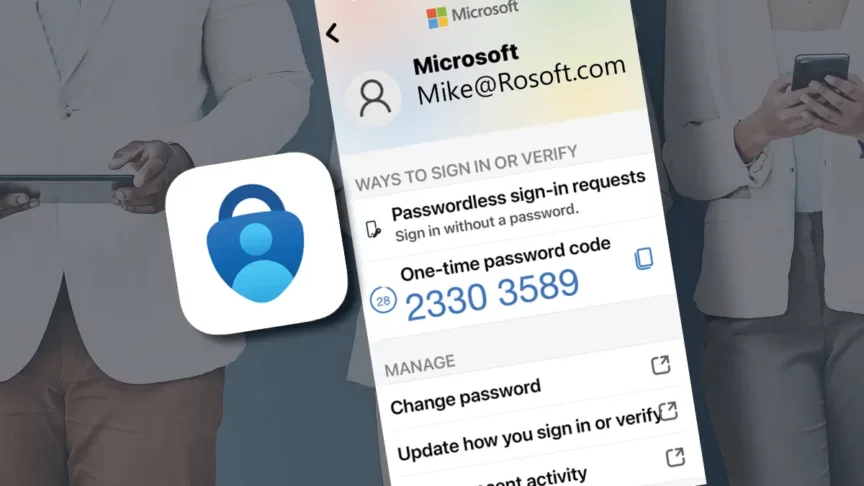
Identity should be one of the first areas to review because it determines who can reach business-critical systems, files, and applications. Strong prevention starts with validating MFA, Conditional Access, privileged roles, guest access, sign-in risk, and Microsoft Entra configuration.
Secure Data Before AI Expands Visibility
Microsoft 365 Copilot works within existing permissions, which means it doesn’t create new access on its own, but it can make existing access problems much easier to notice. Overshared files, stale permissions, unlabeled sensitive content, and weak governance can become bigger concerns once AI tools make information easier to find and summarize.
Before expanding AI use, learn where sensitive information lives, who can access it, whether external sharing is controlled, and whether data protection policies are consistently applied.
It moves from “How do we use AI?” to something more practical: “Are we actually comfortable with what AI can surface in our environment?” That’s where most teams hesitate.
When you really push that question, you’re not talking about AI anymore. You’re talking about everything that already exists underneath your data – access, permissions, identity, and how it all evolved over time.
Strengthen Devices, Tenant Settings, and Monitoring
Strong identity and data controls can fall short if endpoints and tenant settings are inconsistent. The team needs visibility into unmanaged devices, patching, device compliance, Defender coverage, Intune policies, email protection, sharing defaults, and Microsoft 365 configuration drift.
These areas should be reviewed together because attackers don’t stay inside one category; they move across identities, devices, apps, and data until they find the easiest path.
Build a Practical Security Roadmap
Knowing where risk exists is only useful if your team has a clear plan for what to do next. Without a roadmap, security work can turn into a list of disconnected fixes: update one setting, review one policy, clean up one group of users, and then move on before the bigger patterns are addressed. A roadmap helps your team separate urgent exposure from lower-priority improvements, assign ownership, and make steady progress without trying to fix everything at once.
JourneyTeam’s AI Security Risk & Exposure Assessment is a great first step for this kind of roadmap because it looks across the areas that usually overlap in a real breach: identity and access, device trust, endpoint protection, Microsoft 365 tenant health, data governance, monitoring, compliance, AI readiness, and long-term resilience. The assessment helps your team understand how those risks connect, which gaps create the most exposure, and what to address first.
If you’re ready to understand where your Microsoft security environment stands and what to fix first, let’s start a conversation.